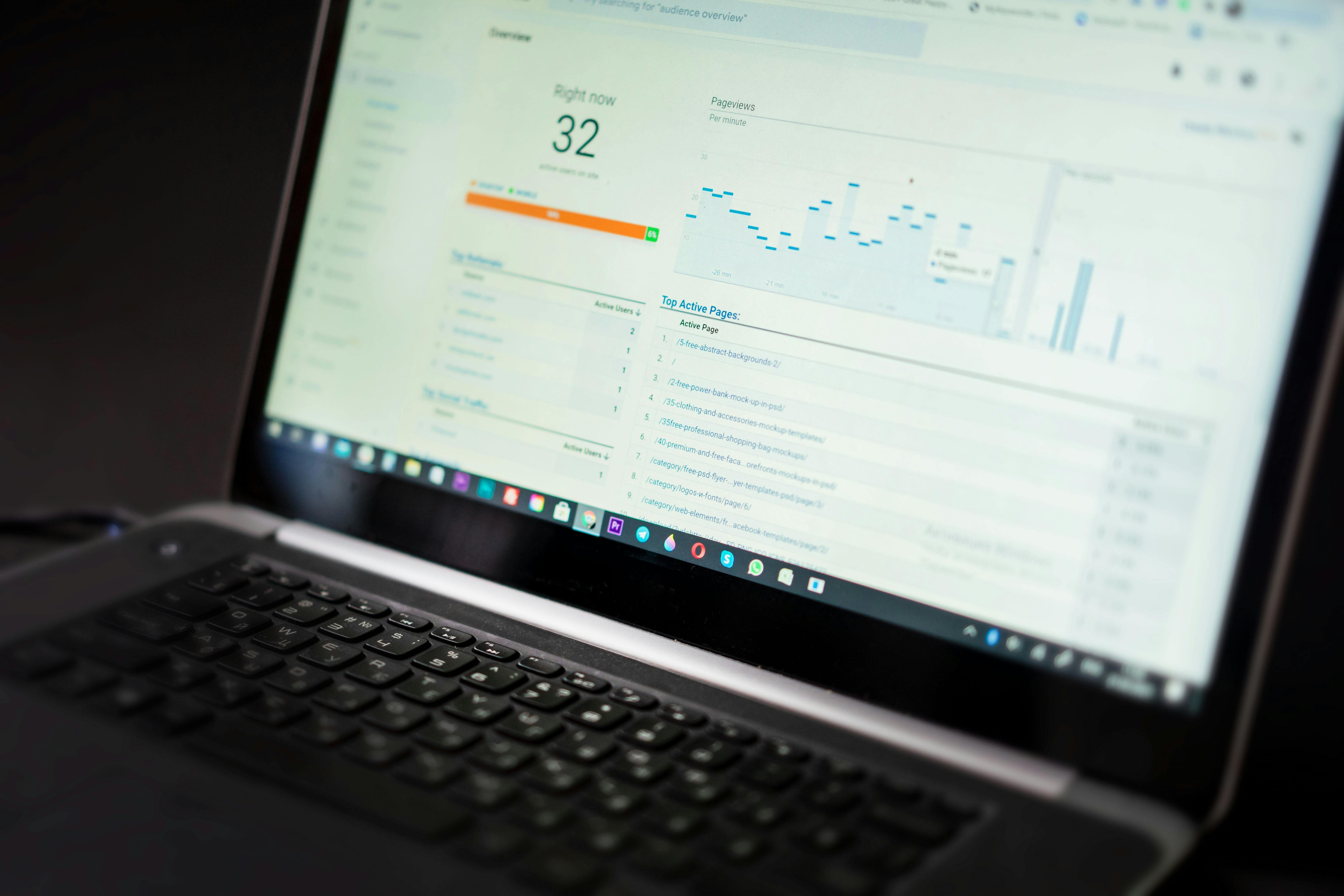
While Google Analytics provides foundational traffic metrics, a truly comprehensive content performance strategy demands a multi-tool approach. This article explores essential platforms like Google Search Console for search insights, heatmap tools for user behavior, content marketing platforms for social engagement, and advanced SEO tools for competitive intelligence and backlink analysis. Integrating data from these diverse sources into a unified dashboard empowers content teams to refine strategy, optimize user experience, and drive measurable success beyond basic page views.
Introduction: Why Look Beyond Google Analytics for Content Performance Success
Google Analytics (GA) has long served as the cornerstone for digital analytics, offering invaluable data on website traffic, audience demographics, and basic content consumption. For many, it's the first and often only touchpoint for understanding content performance. While GA is indispensable for tracking page views, bounce rates, and conversion goals, relying solely on it provides an incomplete picture of a content piece's true impact and effectiveness. A successful content strategy in today's competitive digital landscape demands a multi-dimensional analysis, moving beyond surface-level metrics to uncover deeper insights into user engagement, search visibility, and competitive positioning.
The primary analytics limitations of Google Analytics, particularly in the context of content, stem from its focus on on-site behavior post-arrival. GA excels at telling you what happens on your site once a user lands, but it provides limited visibility into how users found your content through search and what they do before or after interacting with your brand. For instance, GA offers generalized keyword data, often grouping organic search traffic as "not provided," thus obscuring the specific search queries that drive users to your pages. This lack of granular search query data hinders precise SEO optimization and content gap identification.
Furthermore, GA provides aggregate metrics on user engagement patterns, such as average session duration or pages per session, but it doesn't visually illustrate how users interact with individual content elements. It cannot show where users click, how far they scroll, or if they encounter usability issues with specific sections of an article. Similarly, GA does not natively track crucial off-site content performance indicators like social shares, backlink acquisition, or competitor content strategies. These elements are vital for understanding content amplification, authority building, and strategic differentiation.
To truly understand content performance and develop a data-driven strategy, content teams must integrate insights from various specialized tools. This integrated approach allows for a holistic view, combining GA's traffic data with specific search performance metrics, detailed user behavior analytics, social engagement tracking, and competitive intelligence. This comprehensive perspective enables precise content optimization, identifies areas for improvement, and ultimately drives superior return on investment for content efforts. It's about shifting from simply knowing how many people visited a page to understanding why they visited, what they did there, and how that content contributes to broader business objectives.
Google Search Console: Your Search Performance Compass
Google Search Console (GSC) is an indispensable, free tool that offers a direct line of communication with Google's search engine, providing crucial search-specific data that Google Analytics cannot. While GA tells you about traffic once it reaches your site, GSC reveals how your content performs in search results. This distinction is critical for content teams aiming for high search visibility and organic growth. GSC empowers you to understand precisely how your content is discovered, its ranking performance, and the user behavior directly within the search engine results pages (SERPs).
One of the most significant advantages of GSC is its transparency regarding actual search queries. Unlike GA, which often consolidates keyword data, GSC lists the specific keywords and phrases users typed into Google to find your content. This granular data is a goldmine for content optimization. Furthermore, GSC provides key metrics for each query and page:
- Impressions: How many times your content appeared in search results.
- Clicks: How many times users clicked on your content from the search results.
- Click-Through Rate (CTR): The percentage of impressions that resulted in a click (Clicks/Impressions).
- Average Position: The average ranking position of your content for a specific query.
In 2024, Google Search Console introduced updates aimed at enhancing real-time monitoring capabilities, including a '24 hours' view within some performance reports. This allows content strategists to quickly assess the immediate impact of new content publications, significant content updates, or sudden ranking changes, providing near real-time feedback on search visibility and traffic fluctuations.
Practical applications for content optimization using GSC data:
- Identifying Low-CTR Queries: Navigate to the "Performance" report in GSC. Filter by "Queries" and sort by "Impressions" (descending) and then "CTR" (ascending). This reveals high-impression queries for which your content appears frequently but receives few clicks. This is an immediate indicator that your meta title or description is not compelling enough. Update these elements to be more enticing, using strong calls-to-action or clearer value propositions.
- Optimizing Content for Underperforming Keywords: Within the "Performance" report, analyze pages with high impressions and low average positions (e.g., positions 10-20). These are keywords where your content is visible but not prominent enough to attract significant clicks. Identify these keywords and enrich your content with related terms, expand on relevant sections, or add new subheadings to improve relevance and authority.
- Targeting New Keywords: Look for queries with high impressions but where your content is ranking on the second or third page. These signify potential new keyword opportunities. If the existing content doesn't fully address these queries, consider creating new, dedicated content pieces that target them explicitly.
- Monitoring Core Web Vitals and User Experience: GSC also provides critical data on Core Web Vitals, mobile usability, and security issues. Addressing these directly impacts user experience and search rankings. A slow-loading page, for example, can deter users and negatively affect your SEO performance.
Accessing Key Reports in GSC:
To access this data, log into your Google Search Console account. In the left-hand navigation, the "Performance" report is your primary resource for search query data. Under the "Performance" tab, you can toggle between "Queries," "Pages," "Countries," and "Devices" to segment your data. Use the date range filter to observe trends over time, and apply custom filters to narrow down analysis by specific keywords, URLs, or query types (e.g., branded vs. non-branded).
By regularly consulting GSC, content teams can move beyond guesswork, making data-driven decisions that directly enhance search visibility, improve organic CTR, and ultimately attract more qualified traffic to their valuable content.

Heatmap Tools: Understanding User Behavior Beyond the Click
While Google Analytics tells you that users visited a page and how long they stayed, heatmap tools provide the crucial visual context of what they did on that page. Tools like Hotjar, Crazy Egg, and Microsoft Clarity offer a profound understanding of user behavior by visualizing clicks, scrolls, and mouse movements, turning abstract data into actionable insights for content and user experience (UX) optimization. These tools are invaluable for content teams seeking to refine layouts, improve readability, and ensure content effectively guides users towards desired actions.
Heatmaps reveal distinct types of user engagement patterns:
- Click Maps: Show where users click on a page. This goes beyond traditional clicks, indicating "rage clicks" (repeated clicks on non-interactive elements) or ignored call-to-action buttons. It can highlight if users are clicking on images they expect to be clickable or if critical links are being overlooked.
- Scroll Maps: Illustrate how far down a page users scroll, revealing the "fold" where most users stop engaging. This helps identify if vital information or calls-to-action are placed too far down the page and are therefore missed.
- Move Maps (or Hover Maps): Track mouse movements, often correlating with eye-tracking. Areas where users hover frequently might indicate confusion, interest, or areas they are reading intently.
- Confetti Maps: A variation of click maps that show individual clicks differentiated by referral source, allowing for segmentation of user behavior based on how they arrived on the page.
Beyond these visual maps, many heatmap tools also offer session recordings, which capture anonymous video playback of individual user journeys, and form analysis, which pinpoints where users abandon forms and why.
Heatmap tools transform abstract analytics into visual narratives, revealing precisely how users interact with content and empowering content teams to optimize for engagement and conversion.
Real Examples of Heatmap Data Improving Content:
- Improving Content Layout: A scroll map shows that only 30% of users scroll past the second subheading of a long-form article. Analysis of the content reveals a dense block of text at that point. The content team might then break up the text with more subheadings, bullet points, images, or a pull quote to make it more digestible, increasing scroll depth and engagement.
- Optimizing Call-to-Action Placement: A click map indicates that a key call-to-action button, placed at the very end of an article, receives minimal clicks. Session recordings show users exiting the page before reaching it. The solution could involve incorporating a prominent, contextual CTA earlier in the article or using a floating CTA that stays visible as users scroll.
- Enhancing User Experience (UX): Form abandonment rates are high for a contact form embedded within a blog post. Form analysis pinpoints that users consistently drop off at a specific mandatory field. The content team might simplify the field, provide clearer instructions, or remove it if it's not essential, leading to increased form submissions.
Case Study Example: Before/After Improvements
Consider a product review article where initial heatmap analysis showed users consistently hovering over product features but not clicking the "Buy Now" button, located discreetly at the bottom. The scroll map indicated low engagement past the initial product overview. Based on these insights, the team implemented changes:
- Before: Single CTA at the bottom, dense feature list.
- After: Multiple, context-sensitive "Check Price" buttons strategically placed throughout the article, particularly near feature descriptions. The dense feature list was reformatted into an interactive comparison table.
Result: The subsequent heatmap analysis showed a significant increase in clicks on the "Check Price" buttons, with a corresponding rise in conversion rates, demonstrating how visual user behavior data directly informed content and UX improvements.

Content Marketing Platforms: Tracking Social and Reader Engagement
Beyond search performance and on-site user behavior, understanding how your content resonates socially and how readers truly engage with it is paramount. Content marketing platforms (CMPs) like BuzzSumo, SEMrush Content Marketing Platform, and HubSpot integrate various data sources to provide a holistic view of content amplification, social shares, and reader interaction metrics that traditional analytics often miss. These platforms are essential for identifying high-performing content formats, understanding audience preferences, and refining distribution strategies.
These platforms track a range of metrics crucial for assessing content effectiveness:
- Social Shares: Total shares across major platforms (Facebook, X, LinkedIn, Pinterest, etc.). This metric indicates a piece's virality and how readily users are willing to associate with and promote your content.
- Engagement Time/Average Time on Content: While GA provides average session duration, CMPs often offer more granular metrics on how long users actively spend engaging with a specific article, often differentiating between time spent scrolling versus idle time.
- Scroll Depth: Similar to heatmap tools, some CMPs offer scroll depth analysis to understand how much of your content users actually consume.
- Content Amplification Rates: Measures how often your content is picked up, shared, or linked to by other relevant sources, indicating its influence and reach within your niche.
- Audience Demographics & Interests: Some platforms can overlay social audience data, helping you understand who is engaging with your content on social channels.
- Top Performing Content: Identifies articles that garner the most social shares, backlinks, or engagement over specific periods, guiding future content creation.
Specific Examples of Using CMP Data:
- Identifying High-Performing Content Formats: If BuzzSumo reveals that "Listicle" articles consistently receive significantly more social shares and backlinks than "How-to guides" for a particular topic, this indicates a strong preference within your audience for that format. Your content strategy can then prioritize more listicles for similar subjects.
- Understanding Topic Resonance: Analyzing content amplification rates within SEMrush's Content Marketing Platform might show that articles discussing "AI in marketing automation" receive more mentions and shares from industry influencers compared to general "digital marketing tips." This insight helps in refining your editorial calendar to focus on topics with higher industry impact.
- Optimizing Content for Specific Channels: HubSpot's content analytics can break down social engagement by platform. If a video-heavy piece performs exceptionally well on Facebook but poorly on LinkedIn, it suggests tailoring future content or promotion strategies for each platform's unique audience and format preferences.
Tips for Setting Up Content Performance Dashboards:
Many CMPs offer integrated dashboards, or you can export data to create custom views in tools like Google Data Studio (Looker Studio) or Tableau. Key elements for a comprehensive dashboard include:
- Content Performance Overview: A summary of top-performing articles by social shares, engagement, and traffic.
- Channel-Specific Performance: Breakdown of engagement metrics per social media platform.
- Content Type Analysis: Comparison of performance across different content formats (blog posts, infographics, videos).
- Keyword & Topic Clusters: Tracking how specific keyword clusters or topic areas are performing overall.
- Audience Engagement Trends: Visualizing changes in engagement over time.
By leveraging these platforms, content teams can move beyond merely publishing content to strategically creating and promoting pieces that truly resonate, amplify, and achieve measurable engagement objectives across various digital channels.
Advanced SEO Tools: Competitive Intelligence and Backlink Analysis
To truly dominate search engine results and establish content authority, a deeper dive into competitive landscapes and backlink profiles is indispensable. Advanced SEO tools like Ahrefs, SEMrush, and Moz transcend basic keyword tracking, offering robust competitive intelligence and comprehensive backlink analysis capabilities that Google Analytics and even Google Search Console do not provide. These platforms are crucial for understanding market positioning, identifying content gaps, and building a powerful link-building strategy.
These sophisticated tools offer an array of features vital for competitive content strategy:
- Backlink Monitoring: Track every backlink pointing to your site and your competitors' sites. Metrics include the number of referring domains, domain authority (or equivalent metrics like Domain Rating in Ahrefs, Authority Score in SEMrush), anchor text distribution, and new/lost backlinks. This provides a clear picture of link acquisition trends and opportunities.
- Competitor Content Analysis: Identify your competitors' most successful content pieces by organic traffic, social shares, and keyword rankings. Discover which topics are driving their growth and pinpoint content gaps where your site can create superior resources.
- Keyword Ranking Changes: Monitor the organic ranking performance of specific keywords over time, not just for your site but also for competitors. This helps track keyword movement and assess the impact of SEO and content efforts.
- Content Gap Analysis: Uncover keywords for which your competitors rank but your site does not. This pinpoints opportunities for new content creation that can capture previously untapped search traffic.
- Site Audit: Comprehensive technical SEO audits that identify issues hindering search performance, such as broken links, crawl errors, and slow page speeds, which indirectly impact content visibility.
Advanced SEO tools are not just about tracking keywords; they are about reverse-engineering competitor success and proactively identifying opportunities to build content authority and market share.
Practical Examples for Content Gap Analysis and Competitive Strategy:
- Reverse-Engineering Competitor Success: Use Ahrefs' "Top Pages" report for a competitor's domain. Identify their pages attracting the most organic traffic and backlinks. Analyze the content on these pages: what topics do they cover? What keywords do they target? How are they structured? This intelligence can inform your strategy to create even more comprehensive and authoritative content on similar topics, targeting the same or related keywords.
- Identifying Backlink Opportunities: With SEMrush's "Backlink Gap" tool, compare your domain with competitors. It will show you domains that link to your competitors but not to you. These are prime targets for outreach and link-building campaigns, especially if you have content that provides superior value to their audience.
- Strategic Keyword Targeting: Moz's "Keyword Explorer" allows you to analyze keyword difficulty, search volume, and SERP features. When planning new content, use this to prioritize keywords that offer a good balance of search volume and achievable difficulty, ensuring your content has a realistic chance to rank highly. Analyze the top-ranking pages for these keywords to understand search intent and content expectations.
- Content Refresh Strategy: If a competitor's older content is still outranking your newer, more comprehensive piece, use these tools to check its backlink profile and keyword density. This might reveal that the competitor's content has a stronger backlink profile or is better optimized for specific long-tail variations, guiding your content refresh efforts.
Specific Metrics to Track:
- Domain Authority (DA)/Domain Rating (DR): A metric indicating the overall strength and authority of a website's backlink profile. A higher score often correlates with better ranking potential.
- Referring Domains: The total number of unique websites linking to your site or a specific page. This is a crucial indicator of link diversity and authority.
- Keyword Difficulty: An estimate of how hard it would be to rank in the top 10 organic search results for a specific keyword.
- Organic Traffic Value: An estimate of how much it would cost to buy the same amount of traffic via paid ads, offering a monetary value to your organic performance.
By continuously monitoring these metrics and leveraging competitive intelligence, content teams can develop an aggressive, data-backed strategy to improve organic visibility, acquire high-quality backlinks, and establish undisputed authority in their niche.
Integration Strategies: Creating a Unified Analytics Dashboard
Gathering data from various tools—Google Analytics, Search Console, heatmap software, content marketing platforms, and advanced SEO suites—is the first step. The true power emerges when this disparate data is integrated into a unified analytics dashboard. This strategic integration allows for a holistic view of content performance, enabling cross-tool correlation and a more comprehensive understanding of cause and effect across your content ecosystem. Manual data compilation is inefficient and prone to error; automated integration is the path to truly actionable insights.
Several tools and approaches facilitate this data integration:
- Google Data Studio (Looker Studio): A free, powerful data visualization tool that can connect to a vast array of data sources, including Google Analytics, Google Search Console, Google Ads, and even custom CSV uploads or third-party connectors for other tools. It's excellent for creating custom, interactive dashboards that refresh automatically.
- Tableau: A more advanced and robust business intelligence tool, ideal for larger organizations with complex data needs. Tableau offers deep customization, sophisticated visualizations, and connections to virtually any data source, but it comes with a higher learning curve and cost.
- Microsoft Power BI: Another enterprise-grade business intelligence solution, similar to Tableau, offering strong integration with Microsoft products and a wide range of connectors.
- Custom Solutions: For highly specific needs, developing custom data warehouses and dashboards using scripting languages (e.g., Python) and databases (e.g., SQL) allows for ultimate flexibility but requires significant technical expertise.
How to Create Automated Reporting and Set Up Alerts:
The goal of a unified dashboard is not just visualization but automation. Most integration tools allow you to:
- Schedule Reports: Set up daily, weekly, or monthly email delivery of your dashboard, ensuring stakeholders are consistently informed without manual effort.
- Automate Data Refresh: Configure connectors to automatically pull the latest data from each source at specified intervals, ensuring your dashboard always displays current performance metrics.
- Set Up Performance Alerts: Define thresholds for key metrics. For example, set an alert if a critical content piece's organic traffic drops by more than 15% week-over-week (from GA data) or if its average search position for a target keyword drops below 5 (from GSC data). Many dashboard tools or even individual analytics platforms offer this capability.
Specific Integration Examples:
- GSC + GA Data Correlation: Create a dashboard page that displays organic search traffic (from GA) alongside impressions, clicks, CTR, and average position for the same content (from GSC). This allows you to see if a drop in organic traffic correlates with a decline in search visibility or a reduced CTR on the SERP. You can also overlay this with on-site engagement metrics like bounce rate to understand the quality of that organic traffic.
- Heatmap + Conversion Data Analysis: Integrate scroll depth data (from Hotjar/Clarity) with conversion rates (from GA) for specific landing pages. If a scroll map shows users rarely reach your primary CTA, and GA shows low conversion rates, it strongly suggests a layout or content placement issue. Conversely, high scroll depth with low conversions might indicate a problem with the CTA itself or the offer.
- SEO Tool + Content Performance Correlation: Combine backlink acquisition data (from Ahrefs/SEMrush) with organic traffic trends (from GA) and keyword ranking improvements (from GSC). This helps demonstrate the direct impact of link-building efforts on content visibility and traffic growth. You can track how new, high-authority backlinks correspond to jumps in keyword rankings and subsequent traffic spikes.
By strategically integrating these diverse data streams, content teams can move beyond siloed insights to a comprehensive, always-on view of their content ecosystem, enabling proactive optimization and truly data-driven decision-making.
Conclusion: Building a Comprehensive Content Performance Strategy
In the dynamic landscape of digital content, relying solely on Google Analytics for content performance monitoring is akin to navigating a complex terrain with only a single compass. While foundational, GA provides a limited perspective. A truly comprehensive content performance strategy necessitates the integration of a diverse toolkit, each specializing in a critical aspect of content success.
We have explored how Google Search Console offers invaluable insights into search performance, providing granular data on search queries, impressions, and click-through rates, directly informing SEO optimization. Heatmap tools unveil the intricacies of user behavior on your pages, visualizing clicks, scrolls, and engagement patterns to refine content layout and user experience. Content marketing platforms track social amplification and deeper reader engagement, helping identify resonant topics and formats. Finally, advanced SEO tools provide competitive intelligence and crucial backlink analysis, enabling strategic content gap identification and authority building.
By leveraging these specialized tools and, crucially, integrating their data into a unified dashboard, content teams can transition from reactive adjustments to proactive, data-driven strategy development. This multi-tool approach fosters continuous improvement, allowing for precise identification of strengths and weaknesses across the entire content lifecycle—from initial ideation and creation to distribution and long-term optimization.
For platforms like Articfly, which empower businesses to generate professional, SEO-optimized blog content through AI, these advanced analytics tools become an indispensable feedback loop. Articfly’s AI-powered content creation ensures high-quality, data-driven articles are produced efficiently. Coupling this with robust performance monitoring—using GSC, heatmaps, CMPs, and advanced SEO tools—allows content teams to continuously refine their AI-generated output, adapting to real-time user behavior and search engine shifts. This synergy between intelligent content creation and comprehensive performance analytics drives unmatched content success and scalability.
Embrace a multi-tool analytics approach to unlock the full potential of your content strategy. Integrate your data, monitor key performance indicators across all touchpoints, and leverage insights for continuous optimization. Start building your unified content performance dashboard today to elevate your content beyond basic traffic metrics.