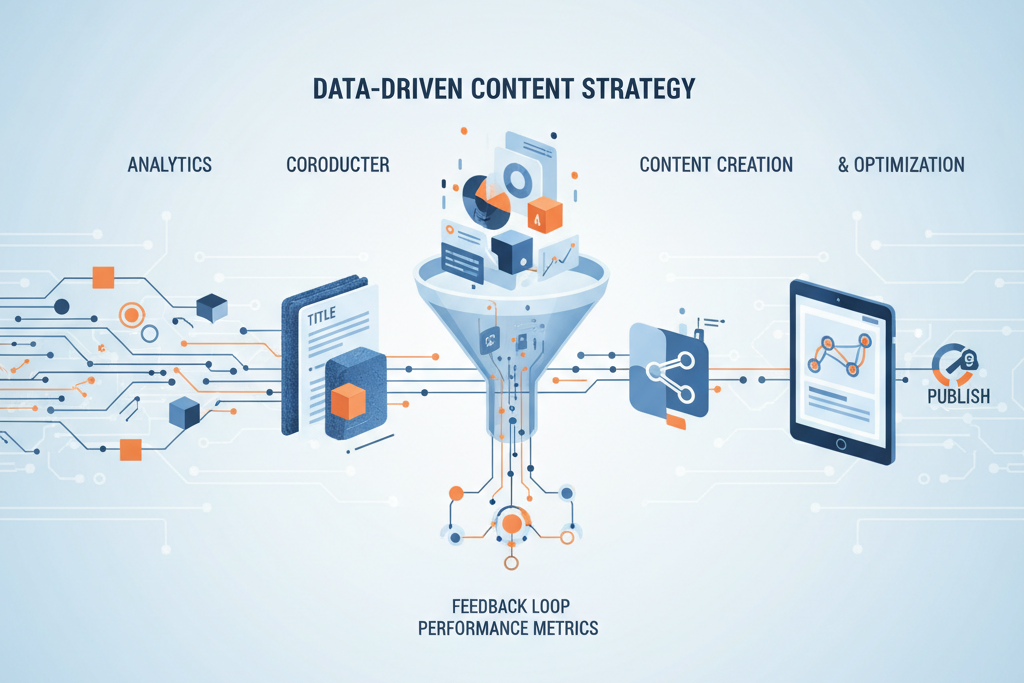
The Power of Data-Driven Content Decisions
In the evolving digital landscape, content remains king, but its reign is increasingly dictated by data. The shift from intuition-based content creation to a data-informed strategy is not merely a trend; it is a fundamental requirement for achieving measurable business outcomes. Modern businesses, from agile startups to established agencies, recognize that every blog post, article, or piece of content represents an investment. Maximizing the return on this investment necessitates a clear understanding of what audiences truly seek, how they interact with content, and what drives them toward conversion.
Historically, content decisions often relied on expert hunches, industry trends, or competitive analysis. While these factors still hold value, they are incomplete without the empirical evidence provided by analytics. Data-driven content strategy empowers creators to move beyond guesswork, enabling them to pinpoint precise audience needs, identify content gaps, and optimize existing assets for enhanced performance. This approach ensures that content production is aligned directly with proven demand, leading to more relevant, engaging, and effective material.
The impact of this strategic pivot is significant. Studies consistently show that companies leveraging data analytics outperform competitors in content marketing ROI. For instance, businesses that integrate data into their content strategy often report higher engagement rates, increased organic traffic, and improved conversion metrics. This isn't surprising when content is built upon the solid foundation of actual user behavior and search intent. By understanding which topics resonate, which formats perform best, and where users drop off, businesses can refine their strategy to focus resources on efforts that yield the greatest impact.
For startups, a data-driven approach means optimizing limited resources, ensuring every piece of content works harder to attract and retain customers. For agencies, it provides a robust framework for delivering demonstrable value to clients, moving beyond vanity metrics to showcase tangible business growth. The ability to articulate the "why" behind content decisions, backed by hard numbers, builds trust and credibility. This foundational shift transforms content marketing from an art to a precise science, delivering consistent, measurable results.
Embracing analytics for content planning means continuously learning from your audience, adapting your strategy in real-time, and building an evergreen content library that compounds in value. It allows businesses to identify high-performing content that can be amplified, low-performing content that needs optimization or deprecation, and emerging trends that present new opportunities. This proactive, evidence-based methodology is the cornerstone of sustainable content success in today's competitive digital environment.
TL;DR: Data-Driven Content Strategy
Shift from intuition to analytics for content planning. Use Google Analytics 4 (GA4) and Google Search Console (GSC) to understand user behavior, discover content gaps, and identify high-performing topics. Track conversions, measure ROI, and build a dynamic content calendar. Leverage tools, including AI, for automation and efficient content creation, ensuring measurable business outcomes and continuous optimization.
Setting Up Your Analytics Foundation
A robust data-driven content strategy begins with a meticulously configured analytics foundation. Without accurate and comprehensive data collection, subsequent analysis and decision-making will be flawed. The primary tools for this foundation are Google Analytics 4 (GA4) and Google Search Console (GSC), supplemented by other data sources specific to your business operations.
Configuring Google Analytics 4 (GA4)
GA4 is Google's latest analytics platform, designed for event-based data collection, offering a more holistic view of user journeys across websites and apps. To set up GA4, you'll need a Google account. Navigate to analytics.google.com, create a new property, and follow the setup assistant. The core step involves installing the GA4 tag (gtag.js or via Google Tag Manager) on every page of your website. Ensure consistent implementation across all subdomains and language versions.
Key initial configurations include:
- Data Streams: Set up a web data stream for your website. This generates your Measurement ID.
- Enhanced Measurement: GA4 automatically tracks events like page views, scrolls, outbound clicks, site search, video engagement, and file downloads. Verify these are enabled for immediate insight.
- Internal Traffic Filters: Exclude internal IP addresses to prevent your team's activity from skewing data.
- Google Signals: Enable this feature to unlock cross-device reporting and demographic data, providing a more complete picture of your users.
- Data Retention: Adjust data retention settings (e.g., to 14 months) to ensure you have sufficient historical data for year-over-year comparisons.
Integrating Google Search Console (GSC)
GSC is indispensable for understanding your site's organic search performance. It provides data on how your site appears in Google search results, including queries, impressions, clicks, and average position. To integrate, navigate to search.google.com/search-console, add your property (preferably via domain verification), and ensure it's linked to your GA4 property under Property Settings > Google products links. This integration allows GSC data to flow into GA4 reports, providing a powerful synergy between search performance and on-site behavior.
Connecting Additional Data Sources
Depending on your business, integrate other platforms:
- CRM Systems: Connect platforms like Salesforce or HubSpot to track lead origins and conversion paths directly to content.
- Email Marketing Platforms: Link services like Mailchimp or ConvertKit to understand content's role in list growth and engagement.
- Advertising Platforms: Integrate Google Ads, Facebook Ads, etc., to attribute traffic and conversions to specific content pieces that support paid campaigns.
Key Metrics to Track from Day One
Focus on a core set of metrics to establish baselines:
- Users/Active Users: Unique visitors to your content.
- Sessions: Number of user interactions.
- Engagement Rate: Percentage of engaged sessions (sessions lasting longer than 10 seconds, having a conversion event, or two or more page views).
- Average Engagement Time: The average time your content holds user attention.
- Views: Total page views for your content.
- Conversions: Tracked actions like form submissions, downloads, or purchases.
- Impressions (GSC): How often your content appears in search results.
- Clicks (GSC): How often users click on your content from search results.
- Average Position (GSC): Your content's average ranking for specific queries.
Practical Tips for Data Accuracy
- Implement Google Tag Manager (GTM): Use GTM for all tag deployments to centralize management and reduce errors.
- Regular Audits: Periodically review your GA4 and GSC setups to ensure tags are firing correctly and data is flowing as expected.
- Annotation: Document significant website changes (e.g., redesigns, major content launches) in GA4 to understand their impact on data.
- Consent Management: Ensure compliance with privacy regulations (GDPR, CCPA) by implementing a consent management platform (CMP) that integrates with GA4.
By meticulously setting up your analytics foundation, you create a reliable source of truth for all content-related decisions, laying the groundwork for truly data-driven insights.
"Without a meticulously configured analytics foundation, subsequent analysis and decision-making will be inherently flawed."

Unlocking Content Insights with Google Analytics
Once your Google Analytics 4 (GA4) foundation is established, the real power of data-driven content strategy emerges through deep diving into its reports. GA4 provides a wealth of information about user behavior, content performance, and the overall effectiveness of your blog. Understanding how to navigate these reports and extract actionable insights is crucial for optimizing your content planning.
Audience Demographics and Interests
GA4's "User" reports (under "Demographics" and "Tech") offer insights into who your audience is. Explore data on age, gender, interests, geographic location, and devices used. This information helps you tailor content topics, tone, and format to resonate more effectively with your target readership. For instance, if your audience is predominantly mobile users, optimizing for mobile readability becomes a top priority. If a specific age group shows high engagement, you can create more content tailored to their specific needs and concerns.
Behavior Flow and User Journey Analysis
While GA4 doesn't have a direct "Behavior Flow" report like its predecessor, you can reconstruct user journeys using "Path exploration" and "Funnel exploration" in the "Explorations" section. These tools allow you to visualize the sequence of events (page views, actions) users take on your site. By analyzing these paths, you can identify common entry points, popular content sequences, and points where users drop off. This helps you understand how different pieces of content relate to each other and where content gaps might exist in the user journey towards a conversion.
Landing Pages Analysis
The "Pages and screens" report (under "Engagement") is critical for understanding which content pieces serve as primary entry points to your site. Filter this report to show only blog posts. Identify your top-performing landing pages based on views, engagement rate, and conversions. High-performing landing pages indicate strong search intent alignment and effective content. Analyze their structure, keywords, and topics to replicate their success. Conversely, low-performing landing pages might signal a need for content refresh, SEO optimization, or better internal linking.
Engagement Metrics for Content Performance
GA4 focuses heavily on engagement, providing a clearer picture of content quality beyond just page views. Key metrics to monitor:
- Engagement Rate: A higher rate indicates content effectively captures user attention.
- Average Engagement Time: Longer times suggest deeper content consumption.
- Scrolls: Tracked as an enhanced measurement event, high scroll depth indicates users are reading significant portions of your articles.
- Event Counts (e.g., outbound_click, form_submit): Monitor specific interactions relevant to your content's goals, such as clicking on CTAs or downloading resources.
By cross-referencing these metrics, you can identify content that resonates deeply versus content that merely attracts clicks. For example, a blog post with high views but low engagement rate might have an enticing title but fail to deliver on its promise, indicating a need for content quality improvement.
Actionable Insights: Specific Examples
- Identify Top-Performing Content: Use the "Pages and screens" report, sorted by "Views" and "Engagement rate." Promote these articles more aggressively, update them regularly, and create derivative content.
Example: If an article on "The Future of AI in Content Marketing" consistently has high engagement and long average engagement time, consider expanding it into a series, creating an infographic, or using it as a pillar page.
- Understand User Journey Patterns: Use "Path exploration" to see if users who read "Introduction to SEO" then typically visit "Keyword Research Guide." This suggests a logical content flow that you can reinforce with internal links and calls to action.
Example: If users frequently navigate from a general topic to a specific solution, ensure clear internal links guide them, potentially leading to a product or service page.
- Pinpoint Content Gaps: If users frequently exit after a specific section or struggle to find related information, it might indicate a content gap.
Example: If many users land on an article about "GA4 Setup" but frequently bounce or immediately search for "GA4 Reporting," it signals a need for more detailed content on reporting within your blog.
- Optimize Underperforming Content: Filter pages by low engagement rate or high bounce rate (in universal analytics, but GA4 focuses on engaged sessions). Review these articles for clarity, readability, and relevance.
Example: An article with low engagement might benefit from better headings, more visual elements, or an updated perspective to match current user expectations.
By regularly analyzing these GA4 reports, you gain a dynamic, data-driven understanding of your content's strengths and weaknesses, allowing you to continually refine your content strategy for maximum impact.

Mastering Google Search Console for Content Planning
Google Search Console (GSC) offers an unparalleled window into how your content performs in Google Search, providing critical insights that Google Analytics alone cannot. While GA4 tells you what happens on your site, GSC reveals how users find you, what terms they use, and where you rank. This makes it an indispensable tool for content planning and optimization.
Search Query Analysis
The "Performance" report in GSC is your primary resource for search query analysis. Here, you can see the exact search queries that led users to your site, along with impressions, clicks, Click-Through Rate (CTR), and average position. This data is gold for content planning.
- Identify high-volume queries: Look for queries with many impressions. These represent popular topics where your site is visible.
- Discover long-tail keywords: GSC often reveals specific, multi-word phrases that users are searching for. These long-tail keywords typically have lower search volume but higher conversion intent.
- Uncover user intent: Analyzing queries helps you understand the intent behind searches (informational, navigational, commercial, transactional). This allows you to create content that directly addresses that intent. For example, queries like "how to set up GA4" indicate informational intent, while "best GA4 reporting tools" indicates commercial intent.
Impression Data and Click-Through Rates (CTR)
GSC's performance report allows you to filter and sort by impressions and CTR. These metrics are crucial for identifying content opportunities:
- High Impressions, Low CTR: This is a prime opportunity. If your content receives many impressions but few clicks, it indicates that your page is showing up in search results, but users aren't compelled to click.
- Actionable Insight: Optimize your title tags and meta descriptions to be more compelling, accurate, and keyword-rich. Ensure they clearly convey the value proposition of your content. Sometimes, improving the snippet can drastically increase CTR, bringing more traffic to existing content.
- High Impressions, High CTR: These are your star performers. Understand why these pages are so effective and apply those learnings to other content. Consider updating or expanding these articles to maintain their ranking and relevance.
- Low Impressions: If your content isn't getting impressions for relevant queries, it might not be indexed correctly, or it needs more comprehensive SEO (e.g., internal linking, backlink building).
Ranking Positions and Keyword Gaps
The "Average position" metric in GSC shows where your content ranks for specific queries. Focus on:
- Keywords ranking between positions 4-15: These are often referred to as "low-hanging fruit." With a bit of optimization (adding more detail, improving content quality, strengthening internal links), these pages can often be pushed onto the first page of results (positions 1-3), leading to a significant increase in traffic.
- Keywords where competitors rank higher: Use GSC in conjunction with competitive analysis to see what queries your competitors rank for that you don't, or where they outrank you significantly. This can reveal content gaps or areas where your content needs strengthening.
Finding Related Queries for Content Expansion
GSC can also help you identify related queries that your existing content might partially address but could expand upon. Look at queries that bring users to a particular page, especially those that are slightly off-topic or more specific than the main content. This suggests users are looking for more depth or a different angle on a related subject.
Example: If your article on "GA4 Setup" also receives impressions for "GA4 custom events" or "GA4 debugging," it indicates a demand for dedicated content on those specific topics. You can then create new articles or enrich the existing one to cover these related queries more thoroughly.
Content Planning with GSC Data
Integrate GSC data into your content calendar by:
- Prioritizing optimization: Schedule updates for content with high impressions/low CTR or those ranking on page 2.
- Identifying new topics: Develop new articles based on high-volume, relevant queries where you don't yet have strong content.
- Expanding existing content: Use related queries to add new sections or create follow-up articles, building out topic clusters.
By leveraging GSC, you can proactively adapt your content strategy to meet actual search demand, ensuring your content is discoverable, clickable, and ultimately, effective.

Finding Content Topics from User Data
The wealth of data collected through analytics tools provides a fertile ground for discovering compelling and high-performing content topics. Moving beyond traditional keyword research, a data-driven approach to topic discovery means unearthing what your actual audience is searching for, struggling with, and interested in. This ensures your content directly addresses their needs and pain points.
Analyzing User Queries for Topic Ideas
Google Search Console (GSC) is the primary resource here. Dive into the "Performance" report and analyze the "Queries" section. Beyond just looking at high-volume terms, focus on:
- Informational Queries: Phrases like "how to," "what is," "guide to," "examples of." These are excellent starting points for blog posts, tutorials, and explanatory articles.
Example: If users frequently search for "what is event tracking in GA4," it's a clear signal to create a comprehensive guide on GA4 event tracking.
- Problem-Solution Queries: Searches indicating a challenge, such as "GA4 reporting issues" or "fix low engagement rate." Content addressing these directly can position your brand as a helpful resource.
Example: An article titled "Common GA4 Reporting Errors and How to Solve Them" directly addresses a user pain point.
- Comparison Queries: Phrases like "[tool A] vs. [tool B]" or "alternatives to [software]." These can inform comparison articles, reviews, or feature breakdowns.
Example: If "Articfly vs. [competitor AI]" appears, it's an opportunity to create a detailed comparison piece highlighting your unique advantages.
Identifying Content Gaps
Content gaps arise when your audience has a question or need that your existing content doesn't sufficiently address. Use a combination of tools:
- GSC + GA4 Synergy: Look for queries in GSC that bring users to a page, but then those users quickly bounce or search for something else on your site (visible in GA4's site search reports). This indicates the initial content didn't fully satisfy their intent.
Example: An article about "Benefits of Data-Driven Content" might attract users, but if GA4 shows they immediately search for "how to implement data-driven content," you have a clear gap for a practical implementation guide.
- Competitor Analysis: Use SEO tools (like Ahrefs or Semrush) to identify keywords and topics your competitors rank for where you have no content or rank poorly.
- "People Also Ask" and Related Searches: Google's own search results often highlight related questions and searches, providing immediate topic ideas.
Understanding Audience Intent
Content discovery isn't just about keywords; it's about the underlying intent. Categorize intent to guide content creation:
- Informational: Users seeking knowledge (blog posts, guides, definitions).
- Navigational: Users looking for a specific website or page.
- Commercial Investigation: Users researching products/services (reviews, comparisons, best-of lists).
- Transactional: Users ready to buy (product pages, service descriptions).
Aligning content type with intent ensures you're providing the most helpful information at each stage of the user journey. For example, a search for "AI content generator" might be commercial investigation, requiring a detailed feature comparison or review, while "what is AI content" is purely informational.
Leveraging Internal Site Search Data
Internal site search data (available in GA4 under "Engagement > Events" if configured) is a direct reflection of what users are actively looking for on your website but cannot immediately find. This is invaluable for identifying immediate content needs.
- High-Frequency Searches: If many users are searching for the same terms, it's a strong indicator that you need dedicated content on that topic, or that existing content is hard to find.
Example: Repeated internal searches for "content calendar template" suggest creating a blog post offering a downloadable template.
- Unfulfilled Searches: Look for searches that lead to no results. These represent critical content gaps where you are missing an opportunity to engage your audience.
Practical Examples and Case Studies
A SaaS company noticed a consistent GSC query: "how to integrate [their tool] with Zapier," which wasn't fully covered in their documentation. They created a detailed blog tutorial and video, leading to a 40% increase in integration setups within two months.
An agency found through GA4 internal search data that clients were frequently looking for "social media report templates." They developed a series of articles providing free templates and guides, which significantly boosted lead generation for their social media management services.
By systematically mining user data, you transition from guessing to knowing what content your audience truly desires, making your content strategy exceptionally precise and impactful.

Measuring Content Performance and Conversions
Measuring content performance extends far beyond simple page views and engagement rates. For a truly data-driven content strategy, it is imperative to connect content efforts directly to business objectives, tracking conversions, attributing revenue, and calculating the tangible Return on Investment (ROI). This requires a clear understanding of how to define and track meaningful actions within your analytics platform, particularly Google Analytics 4 (GA4).
Conversion Tracking in GA4
In GA4, conversions are user actions that you deem valuable to your business. Unlike Universal Analytics' "goals," GA4's event-based model makes virtually any user interaction trackable as an event, which can then be marked as a conversion. Common conversion events for blog content include:
- Form Submissions: Lead generation forms, contact forms, newsletter sign-ups.
- Downloads: E-books, whitepapers, templates.
- Button Clicks: "Request a demo," "Start free trial," "Buy now."
- Video Plays: Completion of key video content embedded in blog posts.
- Scroll Depth: Reaching a certain percentage of a long-form article, indicating deep engagement.
To set up conversions:
- Define Events: Ensure the desired actions are tracked as events in GA4 (either automatically via Enhanced Measurement, or custom events configured via Google Tag Manager).
- Mark as Conversion: In the GA4 interface, navigate to "Admin > Events" and toggle the "Mark as conversion" switch for the relevant event.
Lead Generation Attribution
Understanding which content pieces contribute to lead generation is paramount. By marking form submissions or "request a demo" clicks as conversions, you can then use GA4's "Explorations" (e.g., Path Exploration, Funnel Exploration) or standard reports (e.g., "Pages and screens" filtered by conversion events) to see which blog posts users viewed before converting. This allows you to identify your top lead-generating content.
Example: An article titled "How AI is Revolutionizing Blog Content Creation" might consistently appear in user paths leading to demo requests. This indicates it's a powerful top-of-funnel (TOFU) content piece that effectively educates potential leads.
Revenue Attribution for E-commerce or SaaS
For businesses with direct sales (e-commerce) or subscription models (SaaS), connecting content to revenue is crucial. GA4's e-commerce tracking (if implemented) allows you to see which content contributes to purchases. This involves sending purchase events with revenue values to GA4.
The "Monetization" section in GA4, combined with "Path Explorations," can reveal if users frequently engage with specific blog content before making a purchase. This allows you to assign a monetary value to the content's influence.
Content ROI Calculation
Calculating Content ROI requires a clear understanding of both content costs and content-driven revenue/value. The formula is generally: (Revenue Attributed to Content - Cost of Content) / Cost of Content * 100.
- Cost of Content: Includes writer fees, editor time, image costs, SEO optimization, promotion, etc.
- Revenue Attributed to Content: This is where GA4 conversion data comes in. Assign a monetary value to each conversion (e.g., average customer lifetime value, average sale value, or a weighted value for leads).
Example: If a series of blog posts generated 50 qualified leads, and each lead has an average value of $200, the content generated $10,000 in value. If the content cost $2,000 to produce, the ROI is ((10,000 - 2,000) / 2,000) * 100 = 400%.
Measuring Content Impact on Business Objectives
Beyond direct revenue, content often serves broader business objectives. Use GA4 to measure these:
- Brand Awareness: Track unique users, engaged sessions, and social shares for top-of-funnel content.
- Customer Retention: Analyze content consumed by existing customers for product updates, tutorials, or troubleshooting guides. Increased engagement here can indicate reduced churn.
- Thought Leadership: Monitor backlinks, mentions, and quotes from industry publications (requiring external tools in conjunction with GA4).
By meticulously tracking conversions and attributing content's impact, you transform your blog from a cost center into a quantifiable asset, proving its value to the overall business strategy.
"Measuring content performance extends far beyond simple page views. It's about connecting every content effort directly to tangible business objectives."

Creating a Data-Driven Content Calendar
A content calendar is the backbone of any effective content strategy, and when informed by analytics, it transforms into a powerful roadmap for achieving business objectives. Creating a data-driven content calendar ensures that your content production is not only consistent but also strategically aligned with audience demand, seasonal trends, and performance patterns.
Prioritizing Topics by Potential Impact
The first step in building a data-driven calendar is to prioritize content ideas based on their potential impact, which is informed by your analytics insights:
- High-Demand Topics (GSC): Prioritize topics identified in Google Search Console with high search volume and where you have an opportunity to rank (e.g., currently ranking on page 2).
- High-Engagement Topics (GA4): Focus on content that performs well in terms of engagement rate, average engagement time, and scroll depth. Create more content in these clusters or expand existing high-performers.
- Conversion-Driving Topics (GA4): Give precedence to content types or topics that have a proven track record of generating leads or sales.
- Content Gaps (GSC & Site Search): Fill gaps identified through competitor analysis, user queries with high impressions but no relevant content, or frequent internal site searches.
- Competitive Advantage: Prioritize topics where your brand has unique expertise or a distinct perspective, leveraging your unique selling propositions.
Assign a "score" to each potential topic based on these criteria to ensure objective prioritization.
Scheduling Based on Performance Patterns
Analytics can reveal optimal times for content publication and promotion:
- Seasonal Trends (GA4 & GSC): Use historical GA4 data and Google Trends to identify seasonal peaks in search interest or user engagement for specific topics. Plan content launches to coincide with these periods.
Example: If searches for "Q4 content planning" peak in September, schedule your relevant article for late August to capture early interest.
- Audience Activity Peaks (GA4): Analyze when your audience is most active on your blog (days of the week, times of day) to schedule your content publication and social media promotion for maximum initial reach.
- Content Lifecycle: Plan for content updates and refreshes for evergreen articles that show declining performance but still hold strategic value. Schedule these updates quarterly or bi-annually.
Incorporating Seasonal Trends
Beyond broad seasonal interest, consider holidays, industry events, product launches, and company milestones. These can be integrated into your calendar to create timely and relevant content. Use Google Trends to validate these ideas and ensure there's sufficient public interest.
Example: If your company is launching a new AI feature, schedule a series of blog posts leading up to and following the launch, explaining its benefits, use cases, and impact on your customers.
Templates and Examples of Data-Informed Content Planning
A simple content calendar template can include columns for:
- Topic: The content idea.
- Target Keyword(s): Primary and secondary keywords identified from GSC.
- Target Audience: Based on GA4 demographics.
- Content Type: Blog post, guide, infographic, video script, etc.
- Primary Goal: Awareness, lead generation, conversion, retention (linked to GA4 conversions).
- Priority Score: Based on data-driven potential impact.
- Publish Date: Optimized for seasonal and audience patterns.
- Author/Owner: Responsible party.
- Status: Draft, review, published, promoted.
- Associated Metrics: Specific GA4/GSC metrics to track post-publication (e.g., Engagement Rate, Avg. Position for target keyword, Form Submissions).
By filling this calendar with insights from your analytics, you move away from arbitrary content creation towards a highly strategic, measurable, and ultimately more successful content program. Regular reviews of your analytics should inform adjustments to this calendar, making it a living document.
Tools and Automation for Data-Driven Content
Implementing a truly data-driven content strategy requires more than just manual analysis; it demands efficient tools and, increasingly, automation. Leveraging the right technology stack can streamline everything from data collection and analysis to content creation and distribution, making the entire process more scalable and effective.
Essential Analytics Platforms
The core of any data-driven strategy:
- Google Analytics 4 (GA4): (Free) Essential for understanding on-site user behavior, engagement, and conversions. Its event-based model offers flexibility for custom tracking.
- Google Search Console (GSC): (Free) Critical for organic search performance, keyword rankings, impressions, and CTR. It tells you how users find your content.
- Google Looker Studio (formerly Data Studio): (Free) Integrates with GA4, GSC, and other data sources to create custom, shareable dashboards. Ideal for visualizing content performance and presenting insights.
SEO Tools for Deeper Insights
While GSC provides your site's data, dedicated SEO tools offer competitive analysis, broader keyword research, and backlink analysis:
- Semrush: (Paid, limited free tier) Comprehensive suite for keyword research, competitor analysis, topic research, site audits, and content optimization.
- Ahrefs: (Paid) Strong for backlink analysis, keyword research, content gap analysis, and rank tracking.
- Moz Pro: (Paid) Offers keyword research, link explorer, and robust site audit capabilities.
- Google Keyword Planner: (Free, with Google Ads account) Useful for initial keyword volume estimates and discovery.
These tools help identify content opportunities that might not be immediately apparent in your own analytics, such as gaps in your content vs. competitors.
Content Planning and Management Software
To organize your data-driven content calendar and workflow:
- Asana, Trello, Monday.com: (Free/Paid tiers) Project management tools that can be customized to serve as robust content calendars, allowing for task assignment, deadline tracking, and collaboration.
- Airtable: (Free/Paid tiers) A hybrid spreadsheet-database tool that is highly flexible for building custom content planning systems.
- HubSpot: (Paid) Offers content planning and scheduling alongside CRM, email marketing, and analytics functionalities.
The Role of AI-Powered Content Creation and Automation
This is where the future of data-driven content strategy becomes significantly more efficient. Platforms like Articfly specialize in automating the content creation process, directly integrating with the insights gleaned from your analytics.
Articfly's AI-powered system can take a topic or keyword, analyze search intent and SEO best practices, and then generate a complete, SEO-optimized blog article. This significantly reduces the manual effort and time required to produce high-quality, data-informed content. Imagine identifying a high-demand content gap through GSC and GA4, then feeding that insight directly into Articfly to generate a draft in minutes. This dramatically accelerates the content lifecycle, allowing businesses, agencies, and creators to:
- Scale Content Production: Generate a larger volume of content to cover more data-identified topics.
- Maintain Consistency: Ensure all content adheres to brand tone and quality standards, even at scale.
- Optimize for SEO: Automatically incorporate keywords, structure, and readability best practices derived from analytical understanding.
- Reduce Costs: Lower the operational expenses associated with manual content writing.
By automating the initial draft, content teams can focus on refinement, strategic oversight, and deeper analysis, rather than the time-consuming process of writing from scratch. This makes high-quality content production effortless and scalable, turning ideas into engaging, data-driven articles in minutes.
Embracing Continuous Data Analysis for Content Success
The journey to a truly effective content strategy is not a destination but a continuous process of data analysis, iteration, and refinement. By meticulously setting up your analytics foundation, diving deep into Google Analytics 4 and Google Search Console, and leveraging user data for topic discovery, you equip your blog with an undeniable competitive advantage. Measuring performance beyond vanity metrics, focusing on conversions and ROI, transforms your content from a mere expense into a valuable, quantifiable asset.
The creation of a data-driven content calendar, informed by audience behavior, seasonal trends, and strategic prioritization, ensures that every piece of content published serves a clear purpose and addresses a proven need. Furthermore, embracing advanced tools and automation, particularly AI-powered platforms like Articfly, allows you to scale your efforts, maintain quality, and significantly reduce the time and cost associated with content production. This combination of insightful analysis and efficient execution is the hallmark of modern, successful content marketing.
The power lies in understanding that your audience's behavior is your most valuable feedback loop. By consistently listening to what the data tells you, you can adapt your content strategy to remain relevant, engaging, and highly effective. Don't let your content strategy be driven by guesswork. Transform your approach today and harness the full potential of data to create content that not only resonates but also drives tangible business growth.
Are you ready to elevate your content strategy with data and automation? Explore how Articfly can help you generate professional, SEO-optimized blog articles effortlessly.