How to Add a Blog to Your Business Website: Complete Setup Guide
Key Takeaways
Building a business blog requires a shift from viewing content as a creative hobby to treating it as a technical asset. For most business sites, the technical foundation determines the long-term ROI of every article published. High-volume production is only possible when the infrastructure is designed to handle automation and SEO scalability from day one.
- Subdirectory placement: Hosting your blog at /blog/ ensures it inherits the root domain's SEO authority immediately.
- WordPress Ecosystem: Choosing WordPress provides the largest selection of SEO tools and integration possibilities for automated workflows.
- AI-Assisted Efficiency: Shifting to an AI-augmented editorial process allows teams to maintain quality while significantly increasing publication frequency.
- Operational Consistency: A successful blog avoids the "ghost town" effect by using a centralized content calendar and automated publication pipelines.
Choosing Your Platform: CMS vs. Subdomain vs. Subdirectory
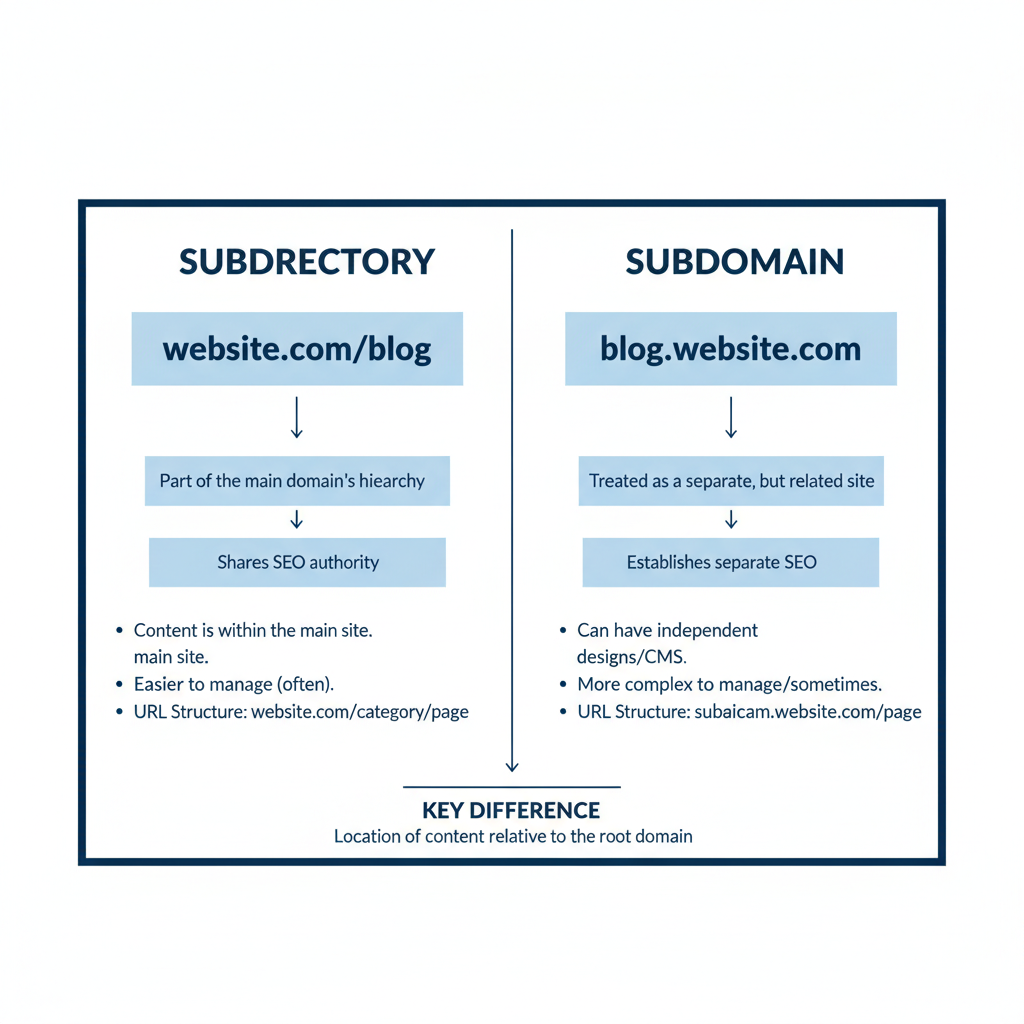
Selecting the right technical architecture is the first hurdle in integrating a blog into an existing business website. The decision between a subdirectory and a subdomain often creates friction between marketing teams and IT departments. While subdomains are easier for IT to isolate, they often create an uphill battle for search engine optimization because search engines may treat them as distinct entities.
For most commercial applications, a subdirectory (example.com/blog) is the superior choice. This structure ensures that any backlinks or authority earned by the blog directly benefit the primary business domain. If you publish a high-performing guide on a subdirectory, the "link equity" flows upward, potentially improving the rankings of your core service or product pages.
Subdomains (blog.example.com) have their place, specifically when the blog requires a completely different technical stack that cannot be easily integrated with the main site’s CMS. For example, if your main site is built on a proprietary enterprise framework but you want to use WordPress for the blog, a subdomain might be the path of least resistance. However, be prepared to invest more in independent link-building for that subdomain.
| Feature | Subdirectory (/blog) | Subdomain (blog.) |
|---|---|---|
| SEO Authority | Inherited from root domain | Treated as a separate site |
| Technical Setup | More complex integration | Isolated and simple |
| Brand Consistency | Unified user experience | Potential for visual drift |
| Security | Shared risk with main site | Isolated risk environment |
Why Subdirectories Win for SEO
Consolidating domain authority is the primary reason SEO professionals advocate for subdirectories. When search engines crawl a subdirectory, they view it as part of the total footprint of the brand. This means the content benefits from the existing trust and age of the main domain. New posts often index faster and rank higher more quickly than they would on a fresh subdomain.
Furthermore, internal linking becomes more powerful within a subdirectory. You can link from a blog post to a product page using relative paths, and the search engine recognizes the tight topical relationship between the two folders. This creates a cohesive "topical map" that signals to crawlers that your site is an authority in its specific niche.
When a Subdomain Makes Sense
Isolating technical environments can sometimes outweigh the SEO benefits of a subdirectory. If your main website handles sensitive customer data or complex financial transactions, your security team may mandate a subdomain to ensure the blog's plugins and scripts do not interact with the core application. This "sandboxing" prevents a vulnerability in a third-party WordPress plugin from compromising the entire business infrastructure.
Additionally, subdomains are useful for internationalization or distinct business units. If your blog serves a completely different audience or uses a different language that requires a separate server location, a subdomain provides the necessary flexibility. In these cases, the technical separation is a deliberate choice to support specific business goals rather than a workaround for technical limitations.
Technical Setup: Installing and Configuring WordPress

Executing a clean installation of WordPress is the foundation of a high-performance content engine. While many hosts offer "one-click" installs, these often include unnecessary bloatware and default settings that can hinder SEO and speed. A professional setup focuses on a lean database, secure configuration files, and a performance-oriented environment.
Start by creating a dedicated SQL database with a unique user and a strong password. During the installation process, avoid using the default "wp_" table prefix. Changing this to something random, such as "af72_", provides a basic layer of security against automated SQL injection attacks. Once the core files are in place, the immediate focus shifts to hardening the environment and optimizing the underlying software for speed.
Database Integration and Security Basics
Maintaining database integrity is critical as your content library grows from dozens to hundreds of articles. Every revision and auto-save creates a new entry in your database, which can eventually slow down query times and impact front-end performance. Use a database management plugin or a direct SQL command to limit the number of stored post revisions. This keeps the tables lean and ensures that the server can retrieve content quickly.
Security must be addressed at the server level, not just through plugins. Implement a Web Application Firewall (WAF) to filter out malicious traffic before it reaches your WordPress installation. Additionally, ensure that your hosting environment uses the latest version of PHP, as this provides both security patches and significant performance improvements over older versions. A faster database and a secure server form the "invisible" layer of SEO that search engines reward.
Essential WordPress Settings for Business Blogs
Optimizing internal settings immediately after installation prevents technical debt later. One of the first steps is to visit the "Reading" settings and ensure that search engine visibility is enabled. It is a common error to leave "Discourage search engines from indexing this site" checked after a development phase, which prevents your content from appearing in search results.
Next, configure your media settings to prevent WordPress from generating dozens of unused image sizes for every upload. For a professional blog, you generally only need a few specific dimensions. By limiting image generation, you save disk space and keep your media library manageable. Finally, ensure that your comment settings are strictly moderated or disabled entirely to prevent spam bots from injecting low-quality links into your pages.
Establishing Your Content Infrastructure
Defining a clear structure for your blog is what separates a professional publication from a cluttered collection of thoughts. Without a rigid framework, content teams often produce overlapping articles that compete with each other in search results, a phenomenon known as keyword cannibalization. A structured approach involves mapping out pillars that align with your business objectives.
Before writing the first post, identify 3-5 core content pillars. These pillars should represent the broad topics your brand wants to be known for. For example, a software company might have pillars for "Productivity Hacks," "Industry News," and "Technical Tutorials." Every future article must fit into one of these categories. This discipline ensures that your blog remains topical and easy for both users and search engines to navigate.
"Architecture is the silent partner of content. Without a logical structure, even the highest quality writing fails to find its audience or sustain its ranking." - Editorial Standards Manual
Defining Category Hierarchies
Organizing your taxonomy correctly involves using categories for broad topics and tags for specific details. A common mistake is using both interchangeably, which creates a messy URL structure and confusing navigation. Categories should be hierarchical and limited in number. Think of them as the "Table of Contents" for your blog.
Tags, on the other hand, act like an index. They are optional and should be used to connect related articles across different categories. For instance, you might have a category for "Marketing Strategy" and use a tag for "LinkedIn" to identify all posts related to that specific platform. Keeping this distinction clear from the start prevents your site from becoming a "tag cloud" of redundant terms that offer no value to the reader.
Permalinks and URL Structure Optimization
Structuring your URLs for clarity and longevity is a non-negotiable step in SEO. The default WordPress permalink structure often includes dates or numeric IDs, which are not ideal for search engines or users. A date-based URL (example.com/2023/10/05/article-name) makes content appear dated even if the information is still relevant. It also creates a deeper directory structure that can dilute the authority of the page.
The standard for business blogs is the "Post Name" structure: example.com/blog/article-name/. This creates a clean, descriptive URL that is easy to share and tells the search engine exactly what the page is about. If your blog is integrated into a subdirectory, ensure that the "blog" prefix is consistently applied to all posts. This maintains a logical flow and keeps all blog content organized within a single folder for easier tracking in analytics tools.
Scaling Production: AI and Editorial Workflows
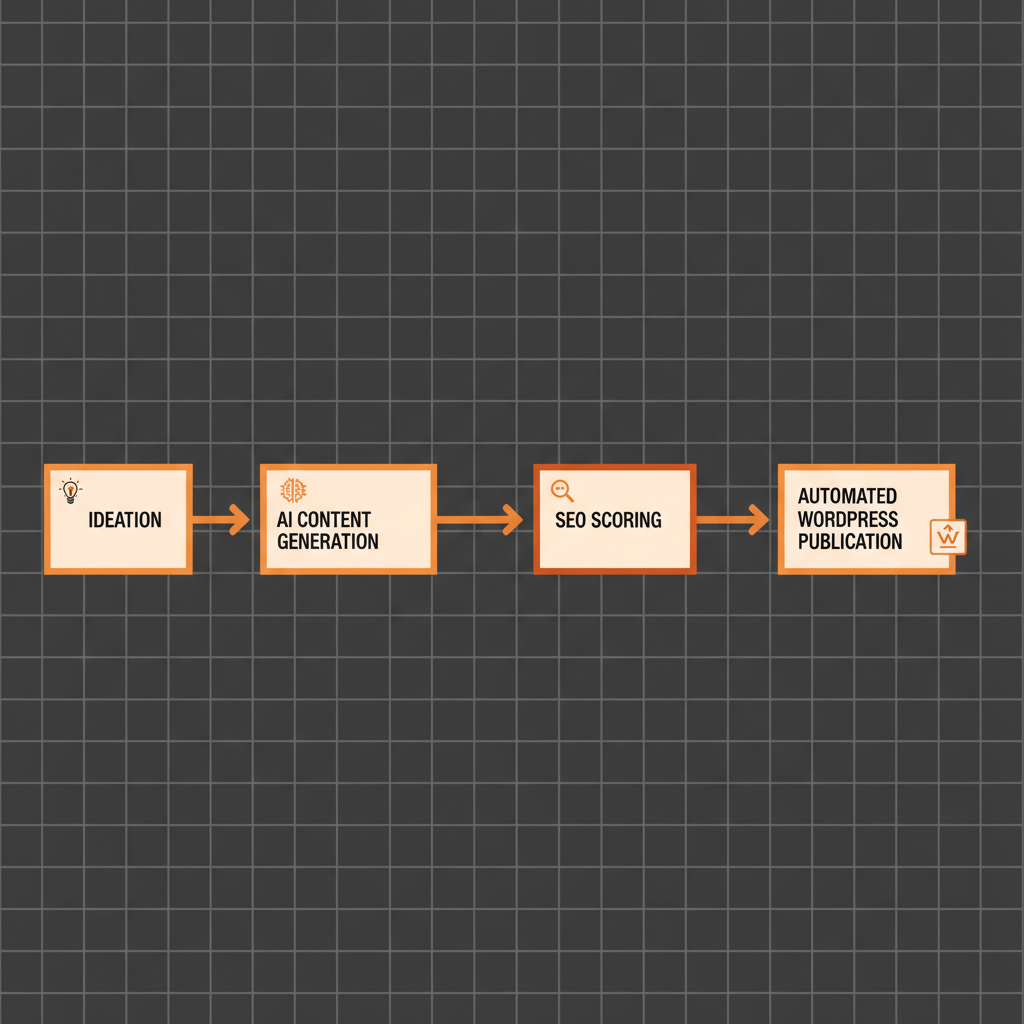
Modernizing the content lifecycle is the only way to maintain a competitive publishing schedule without exponentially increasing costs. The traditional model of hiring a large team of writers to produce every word manually is becoming unsustainable for many businesses. Instead, forward-thinking teams are moving toward an AI-augmented workflow where technology handles the heavy lifting of research and drafting, while humans focus on strategy and fact-checking.
The transition to this model requires a shift in mindset. Rather than fearing AI, teams should view it as a sophisticated content engine. By using a SaaS dashboard that connects directly to a WordPress site, you can manage ideation, generation, and publication from a single interface. This eliminates the friction of moving text between different apps and allows for a more fluid production pipeline.
Bridging the Gap Between AI Generation and Human Review
Implementing a review layer ensures that every piece of content meets your brand's standards for accuracy and tone. AI is incredibly efficient at generating structured drafts based on specific parameters, but it lacks the nuanced understanding of your unique business case. A human editor's role evolves from "writer" to "curator" and "fact-checker."
This hybrid approach allows for a significantly higher output. A single editor can oversee the production of ten AI-assisted articles in the time it would take to write one from scratch. During the review process, the editor should focus on verifying statistics, adding internal links to specific product pages, and ensuring the brand voice is consistent. This maintains the "human touch" that readers value while leveraging the speed of artificial intelligence.
Automating the Publication Pipeline
Standardizing the publication process removes the technical hurdles that often cause delays. Automation tools can now handle tasks such as generating meta descriptions, adding schema markup, and even suggesting internal links. When these tools are integrated directly into the WordPress environment, the "click to publish" step becomes the final stage of a highly optimized system.
Consistency is the primary driver of SEO growth. An automated pipeline allows you to schedule content weeks or months in advance, ensuring that your blog stays active even when your team is focused on other projects. This "always-on" approach signals to search engines that your site is a reliable source of fresh information, which can lead to more frequent crawling and better rankings over time.
Measuring Success and SEO Optimization
Evaluating your blog's performance requires looking past vanity metrics like "page views" and focusing on data that drives business value. While traffic is a good starting point, it doesn't tell the whole story. You need to understand how that traffic interacts with your site and whether it is leading to tangible outcomes, such as lead generation or product inquiries.
A successful measurement strategy involves tracking organic keyword growth, lead conversion rates, and the bounce rate of key pages. If a post has high traffic but a 95% bounce rate, it might mean the content is meeting the user's initial search intent but failing to provide a clear next step. Use these insights to refine your internal linking strategy and calls-to-action, turning your blog from a reading platform into a conversion tool.
Primary Metrics to Monitor
- Organic Traffic: Total sessions originating from search engines, indicating your overall SEO health.
- Keyword Rankings: The position of your articles for target search terms in the SERPs.
- Internal Link Clicks: How often readers navigate from your blog to your service or product pages.
- Content Decay: Monitoring older posts for a drop in traffic, signaling the need for a refresh.
By regularly auditing these metrics, you can identify which topics resonate most with your audience. This data-driven approach allows you to double down on successful content pillars and move away from topics that do not contribute to your business goals. Over time, this iterative process builds a highly efficient content engine that compounds in value.
FAQ
Should I put my blog on a different domain than my business?
Generally, no. You should keep your blog on a subdirectory (example.com/blog) of your main domain. This allows the blog to benefit from your existing domain authority and ensures that the SEO value generated by the blog supports your primary website.
Is WordPress the best choice for a business blog?
Yes, WordPress remains the industry standard for business blogging. Its vast ecosystem of plugins, SEO capabilities, and ease of integration with other tools make it the most flexible and scalable option for professional content production.
How often should a business blog be updated?
While quality is more important than frequency, you should aim for at least 2-4 high-quality updates per month. Consistent publication sends positive signals to search engines and keeps your audience engaged. For faster growth, daily or several-times-a-week updates are more effective if quality is maintained.
Do I need a separate hosting plan for the blog?
Usually, you do not. If your current host supports WordPress and you have sufficient resources, you can install WordPress in a subdirectory on your existing plan. However, if your main site is on a platform that doesn't support WordPress (like a proprietary app), you might need a separate hosting environment linked via a subdomain or reverse proxy.
Put this into practice
Transforming your blog from a static page into a high-volume growth engine begins with the right technical setup. Once your WordPress integration is live and your subdirectory is configured, the focus shifts to production. Do not let the technical hurdles of content creation slow you down.
Start by mapping out a 30-day editorial roadmap built around your core business pillars. Instead of manual drafting, use an AI-powered system to generate your initial drafts, ensuring they are optimized for your specific brand voice. By automating the technical aspects of SEO and publication, you can focus on the high-level strategy that moves the needle for your business.
Want the system behind this content?
Join the top 1% of SEOs generating programmatic, high-converting organic traffic completely on auto-pilot.
DEPLOY ARTICFLYMore Articles
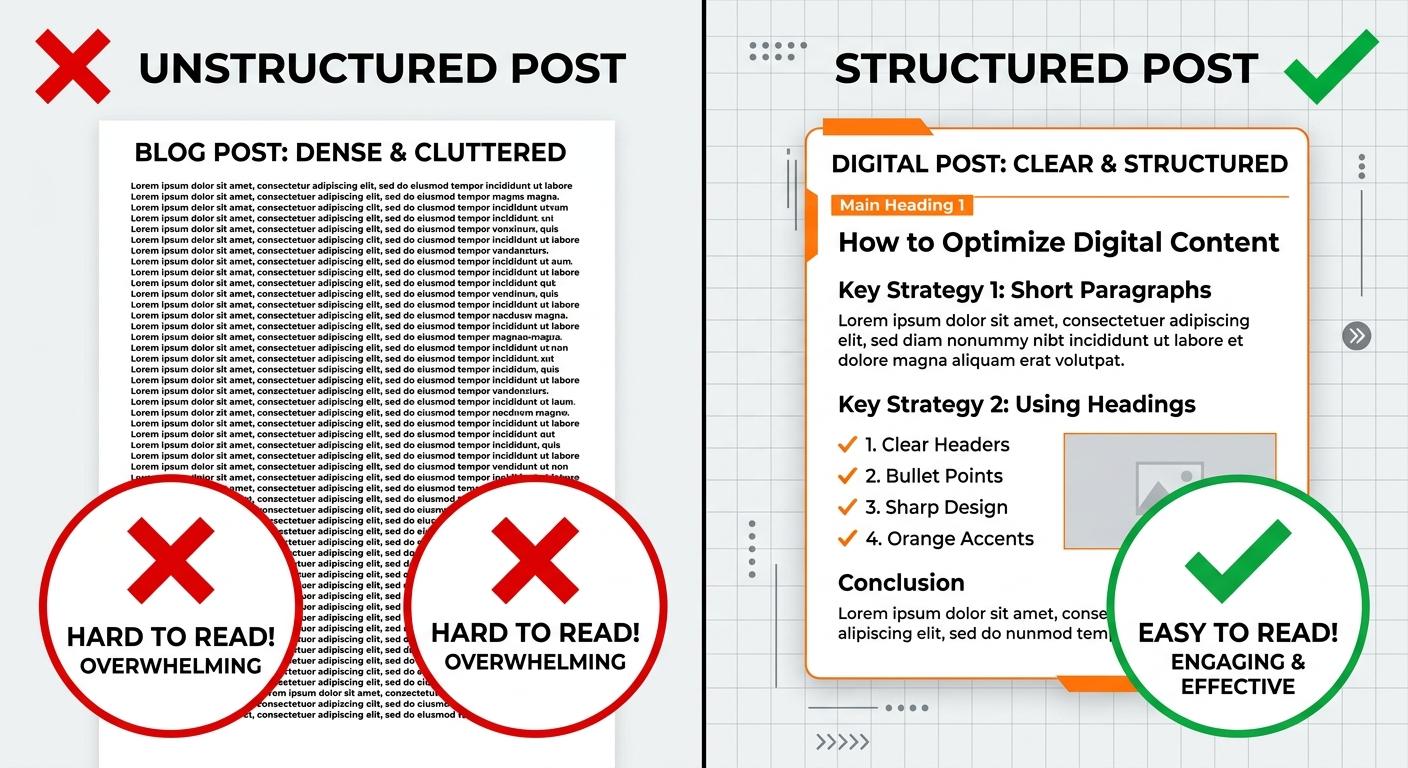
Why People Stop Reading Your Blog Post After 30 Seconds (and How to Fix It)
Most readers decide to stay or leave a blog post within the first 30 seconds. If your bounce rates are high, it's likely due to structural friction, poor hooks, or a lack of immediate value. Learn how to diagnose engagement killers and use AI-driven optimization to keep readers scrolling.
READ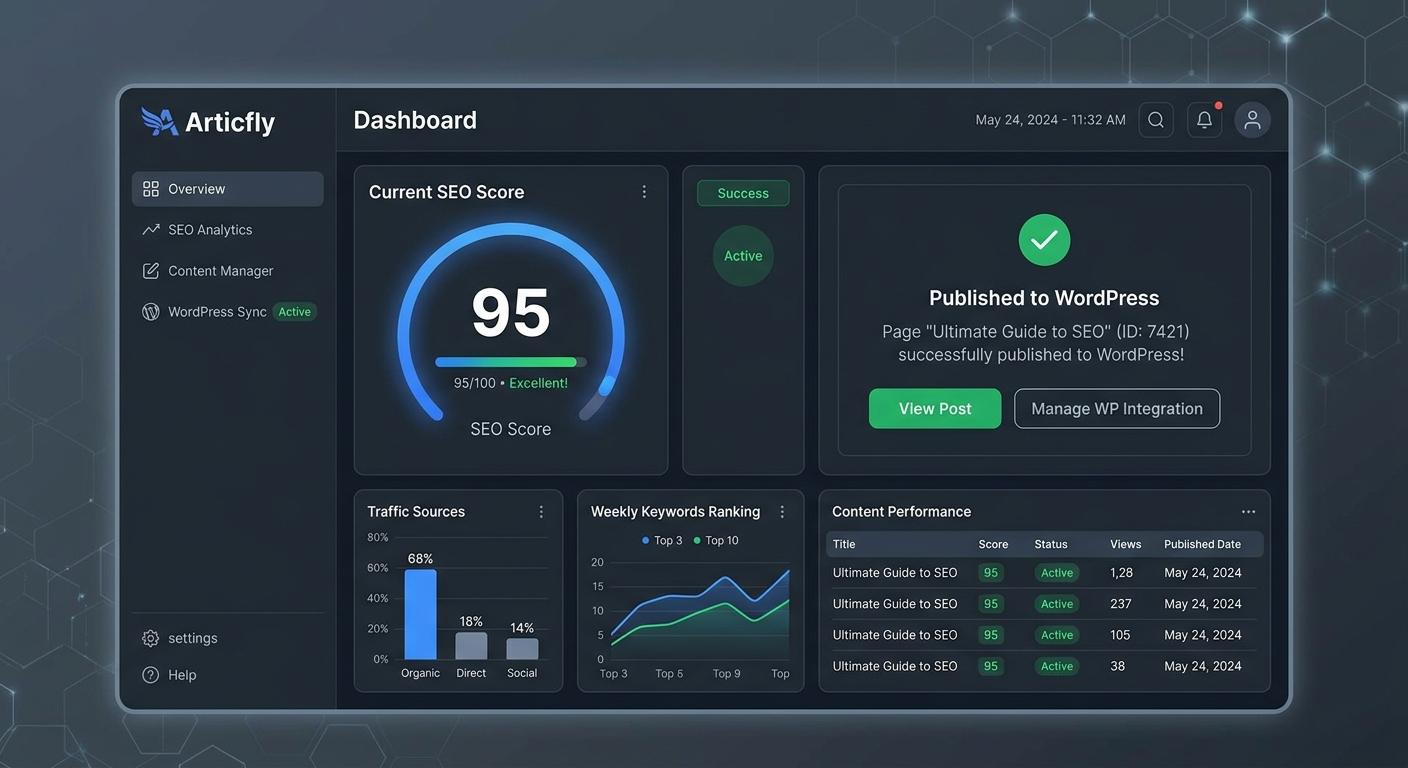
The $15 Blog Post That Brings in $2,000/Month: How AI Content Delivers 130x ROI
Discover the unit economics of high-scale AI publishing. Learn how to leverage Articfly to produce $15 blog posts that generate $2,000 in monthly recurring revenue through SEO optimization, automated publishing, and strategic content refreshing.
READ
Brand Voice in AI Content: How to Stop Your Blog from Sounding Like a Robot
Generic AI content is killing brand authority. Learn how to use Articfly’s Brand Voice Analyzer and Advanced Mode to produce high-scale, SEO-optimized content that sounds like your team, not a machine.
READ