The 15-Minute Blog Audit: Find Out If Your Content Is Making Money or Wasting Space
Key Takeaways: The High-Speed Content Diagnostic
A 15-minute blog audit identifies content decay, low-conversion pages, and crawl budget waste to improve site authority and ROI. This process isolates high-traffic articles losing rank and flags outdated statistics that trigger bounce rate spikes. A digital agency managing 50+ WordPress sites uses this quick-check method every Monday to prioritize their weekly content updates. (Actually, WordPress stores metadata in the wp_postmeta table, which can bloat significantly if old revisions or unused custom fields aren't purged). Such a rapid diagnostic prevents technical debt from accumulating across large sitemaps while ensuring that every indexed URL serves a specific business objective.
How many URLs in the current sitemap actually contribute to the bottom line? Most WordPress instances contain legacy posts that dilute link equity and confuse search crawlers. Effective audits rely on hard metrics like a 20% drop in organic clicks over 90 days or a bounce rate exceeding 85% on a high-intent page. High-traffic pages with declining CTR often require a simple H1 tweak or a fresh meta description to align with current search trends. These fast adjustments maintain the "freshness" signal that search engines prioritize for competitive keywords.
- Content decay is inevitable, with most articles losing relevance within 12 to 18 months of publication.
- Site authority depends on the average quality of all indexed pages rather than the peak performance of a single post.
- Identifying "zombie pages"—those with zero impressions in a 30-day window—allows teams to prune or merge content to reclaim crawl budget.
- Refreshing content is 3x more cost-effective than producing new articles from scratch according to many SaaS marketing benchmarks.
- A 15-minute window is sufficient for identifying the top 5% of pages requiring immediate SEO intervention.
Teams that monitor these metrics weekly avoid the labor-intensive "rebuild" cycles common in stagnant blogs.
Not ideal for a 500-order batch.
A quick check of the Google Search Console "Performance" tab reveals which slugs are slipping.
The 15-Minute Audit Framework: A Step-by-Step Sprint
To audit a blog in 15 minutes, practitioners export Google Search Console data for the last 6 months, sort by lowest clicks, and cross-reference with top-performing conversion pages. This initial data export reveals the "zombie pages"—content that consumes crawl budget without generating impressions or revenue. A solo blogger often discovers that 80% of traffic originates from just 3 posts, while 100 other articles generate zero revenue. Efficiency depends on filtering for pages with high impressions but low CTR, which indicates a metadata failure or content decay.
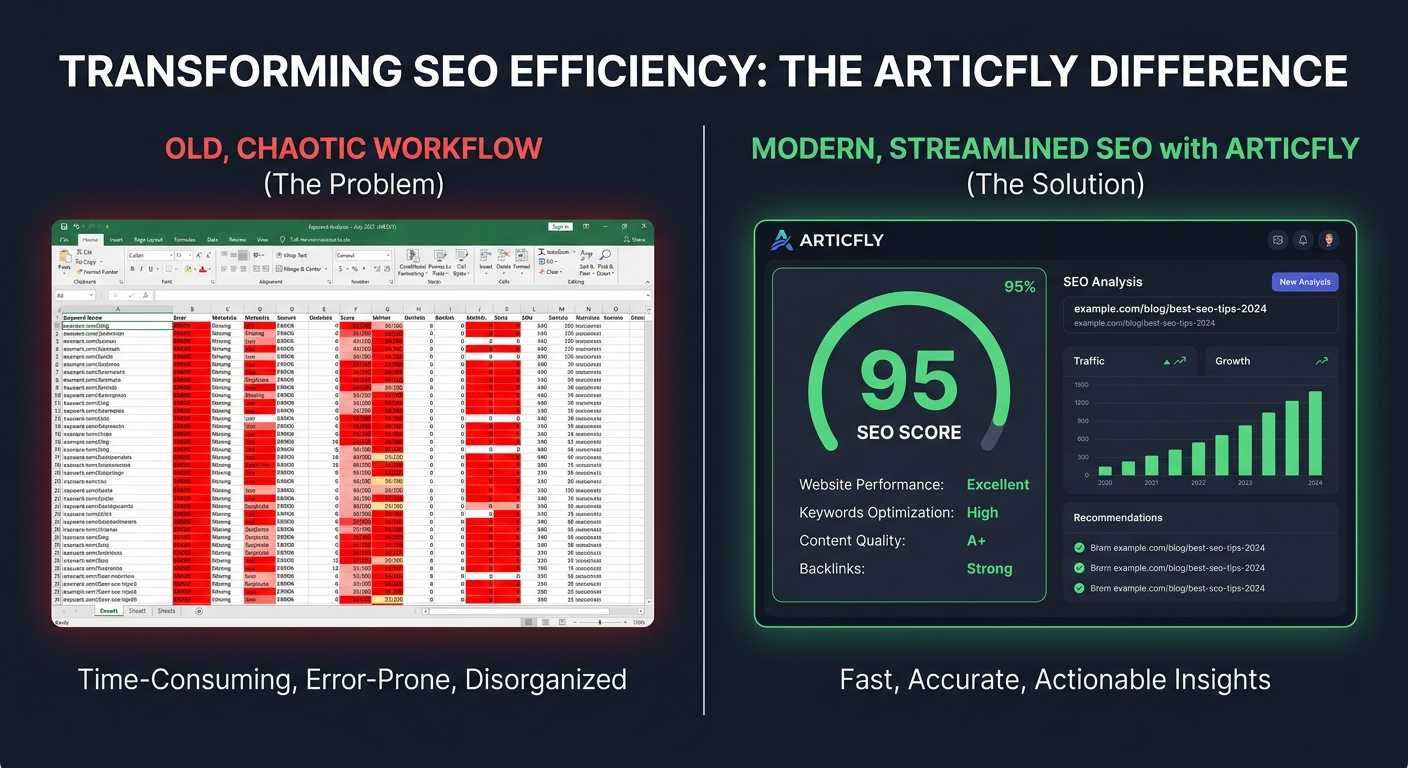
Identifying keyword cannibalization requires mapping URLs to their primary search intent. The Articfly SEO dashboard automates this by flagging overlapping keyword targets across the WordPress database, preventing split link equity and crawler confusion.
"Falling stars" are high-performing posts that have lost more than 20% of their traffic month-over-month. (Actually, a 20% drop in clicks while impressions remain stable is the clearest signal of content decay). Using the Articfly Article Refresher, teams can monitor these dips in real-time rather than waiting for a quarterly review. A 15-minute sprint focuses on three specific actions: deleting thin content, merging cannibalized posts, and updating outdated stats. Simple, yet effective. Targeting the 10% of content that provides 90% of the value ensures high ROI. For example, a 2,000-word guide on "Affiliate Marketing" might only need a new intro and three updated links to regain its top-3 position. Adding a fresh schema markup block or a new comparison table can also trigger a re-crawl that restores lost rankings within 48 hours.
The audit concludes by syncing the Articfly Content Calendar with the identified gaps. If the data shows a 404 spike or a drop in average position for a core pillar page, the next step involves a deep-dive refresh. High-value keywords remain the primary focus within the Articfly dashboard. A lean index wins. Engineers or marketers managing 500+ URLs find that a systematic culling prevents "content bloat," where a site has thousands of pages but only a handful of visitors. Maintaining optimized URLs is the fastest way to improve domain authority.
Identifying 'Zombie' Content: What to Cut and Why
Zombie content is any blog post that has received zero organic traffic in the last 6 months and serves no functional purpose for the user journey. These pages occupy space in the Google Search Console index without contributing to conversions or brand authority. While a single low-performing post seems harmless, a collection of hundreds forces search crawlers to waste resources on low-value URLs instead of indexing new, high-priority articles.
Because Google allocates a finite crawl budget to every domain based on perceived authority, sites carrying "Top Trends for 2018" posts often see slower indexing of current content. The bot spends time hitting dead-end pages instead of fresh updates. Pruning these assets consolidates link equity and signals to algorithms that every URL on the domain provides immediate value.
Waste typically falls into three buckets: outdated data, thin content under 300 words, and duplicate topics that cause keyword cannibalization. A post detailing "How to install WordPress 4.0" serves no one in 2024—or rather, it serves as a liability. (Actually, keeping such a post can even mislead users if the screenshots show UI elements that no longer exist in the Gutenberg editor). Identifying these assets requires checking the "Total Clicks" metric in Search Console for the previous 12 months to see if the decline is permanent or seasonal. Duplicate topics often occur when two articles target the same "best WordPress plugins" keyword, splitting the ranking potential between two URLs instead of one strong page.
Data from Google Analytics 4 (GA4) helps isolate these candidates through the "Pages and screens" report filtered by a 180-day window. Not ideal for a high-traffic domain. This cleanup reduces the size of the sitemap.xml and ensures the internal link structure points only to high-value assets. Engineers managing enterprise WordPress deployments often use automated scripts to flag these URLs when the bounce rate exceeds 95% on minimal traffic.
The ROI Matrix: Sorting Assets from Liabilities
The Content ROI Matrix categorizes posts into four quadrants: Protect (High Traffic/High Conversion), Optimize (High Traffic/Low Conversion), Boost (Low Traffic/High Conversion), and Prune (Low/Low). It functions as a sorting mechanism for WordPress sites to determine which URLs require immediate intervention versus those that should remain untouched. Mapping Google Search Console traffic data against conversion metrics from tracking tools like GA4 creates a clear hierarchy of value.
High-performing assets fall into the Protect quadrant, where the objective is maintaining current SERP rankings. When a post generates high traffic but fails to convert, it enters the Optimize phase, requiring A/B testing on CTAs. Conversely, posts with low traffic but high conversion rates belong in the Boost category, signaling a need for fresh backlinks. Finally, low-traffic, low-conversion pages are candidates for the Prune list, where they are either deleted or merged to consolidate crawl budget. (Actually, GA4's 'Key Events' metric is often the best proxy for this conversion data).
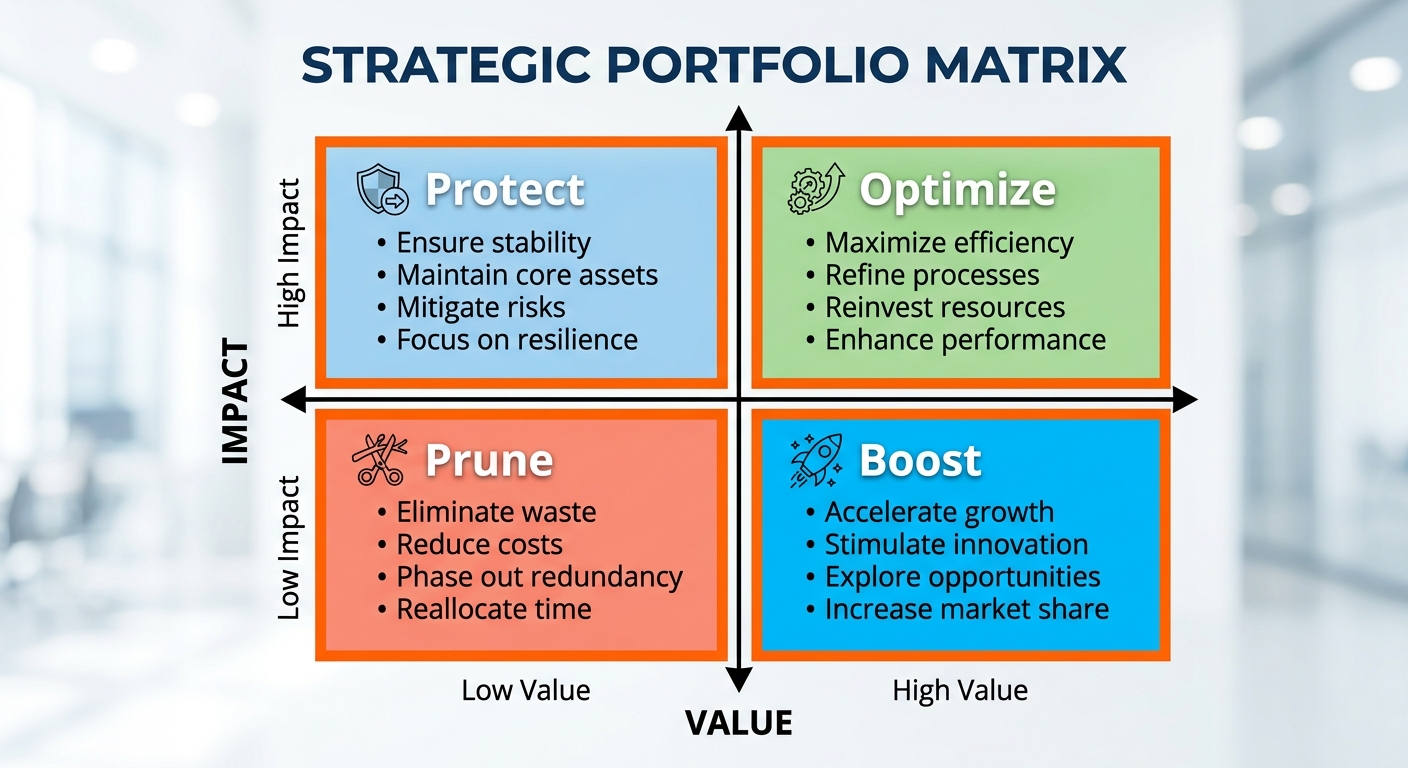
Data-driven prioritization removes the emotional attachment often associated with long-form guides or legacy landing pages. Suppose a marketing manager at a mid-sized SaaS agency discovers a three-year-old "How-to" guide that receives fewer than 100 visits a month yet generates 40% of their total demo sign-ups. This specific asset is a prime candidate for a Boost strategy, perhaps involving a 500-word content expansion or a title tag update to capture higher-volume keywords. Without this grid-based logic, such a high-value asset might be ignored in favor of newer content that drives views but zero revenue. Logic over intuition.
Effective categorization requires setting hard thresholds for each quadrant based on individual site benchmarks, such as a 1.5% conversion rate floor. A 10-person content team managing 1,000+ articles might use these thresholds to automate their editorial calendar for the next quarter. If an article falls into the Optimize bucket, the task becomes a technical audit of the page's UX and conversion elements rather than a full rewrite. Not every post needs to be a viral hit. These decisions rely on raw numbers extracted from the Articfly dashboard.
Automating the Refresh Cycle with Articfly SEO Tools
Articfly’s Article Refresher monitors content decay automatically and allows users to update aging posts directly within WordPress to maintain rankings. This system eliminates the manual spreadsheets usually required to track which URLs are losing traffic. By connecting directly to the WordPress REST API, the dashboard scans existing content against current SERP data to identify articles that have dropped in position over the last 90 days. Users receive specific alerts when a post's SEO score falls below a set threshold, such as 70/100, signaling it is time for a refresh.
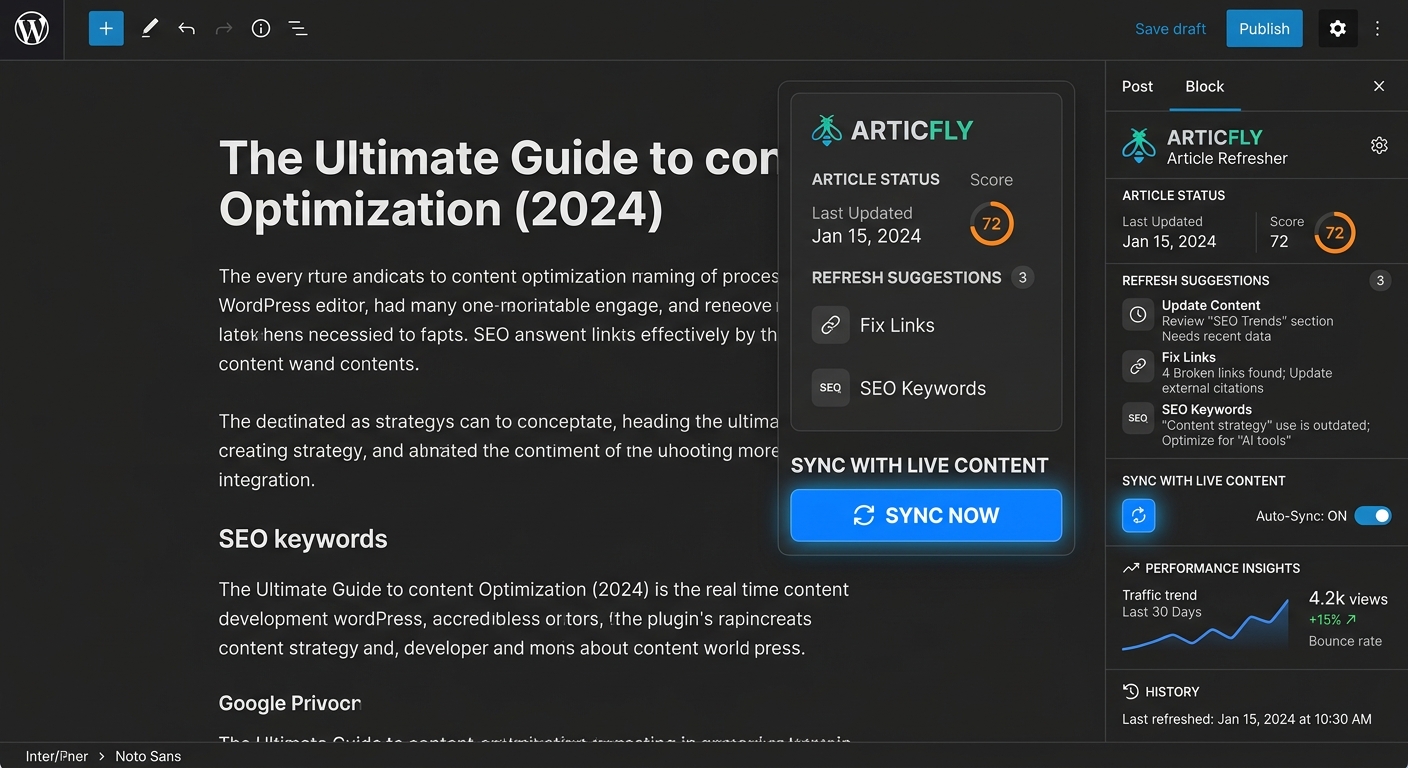
The platform handles the heavy lifting of content updates by generating new subheadings, refreshing statistics, and optimizing metadata without requiring a login to the WordPress backend for every small change. A 12-person marketing agency recently transitioned from manual monthly audits to Articfly's automated 'Content Decay' alerts. Such a shift saved the team approximately 10 hours of labor per client every month. Automating the identification phase allows the agency to redirect that time into higher-level strategy and new content production.
Why let a high-performing guide from 2022 slide to page three? The native WordPress plugin bridges the gap between the SaaS dashboard and the live site. It allows for one-click syncing of meta titles and descriptions directly into fields compatible with Yoast or Rank Math. (Specifically, it targets the _yoast_wpseo_metadesc and _rank_math_description meta keys to ensure cross-plugin compatibility). Not ideal for a 500-order batch, but perfect for a surgical 15-minute audit. Teams that automate these micro-adjustments prevent the 20% annual traffic decay typical of unmaintained assets.
Content teams running 20+ WordPress sites often struggle with the "publish and forget" trap. Articfly's dashboard provides a centralized view of all connected sites, displaying a "Refresh Score" for every article. (Actually, 100 is the max score based on 15 distinct SEO factors like keyword density and LSI integration). Clicking "Sync Now" in the WP sidebar pushes the updated AI-generated sections directly into the Gutenberg editor as a draft or live update. The sync maintains the original URL and internal link structure while injecting fresh context and keywords. Managing the lifecycle of 50 active posts becomes a matter of reviewing alerts rather than digging through Google Search Console exports.
Pruning vs. Polishing: The Technical Decision Tree
When auditing, using a 301 redirect for a deleted post with existing backlinks preserves equity; otherwise, a 410 'Gone' status is acceptable for low-value pages. This logic preserves link equity while signaling to Google that a resource is permanently removed. For content that still holds topical value but lacks depth, merging multiple URLs into a single pillar page often yields better results than individual deletions. A site owner merging three thin articles into one 'Ultimate Guide' (using 301 redirects from the old URLs to the new one) can see a 40% increase in total traffic for that topic. Such consolidation concentrates authority into one high-performing asset rather than diluting it across three underperforming ones.
Crawl budget management becomes a priority for sites exceeding 5,000 pages where search engine bots might exhaust their daily limits on low-value URLs. If a page serves a functional purpose—like a 'Thank You' page or a narrow category archive—but offers no search value, the noindex, follow tag is the standard choice. (Actually, Googlebot still crawls noindexed pages occasionally, but the frequency drops significantly over time). The tag keeps the page accessible while preventing it from cluttering the index.
The choice between pruning and polishing depends on historical performance in Search Console. A post with zero clicks and zero impressions over 12 months is a candidate for a 410 status, whereas a page ranking on the second page needs a content refresh. Adding 500 words of fresh data or updating a broken API reference often moves these keywords into the top ten. Hard-coding 301s into the .htaccess file remains the fastest method for server response times on Apache-based hosting. Clear technical intent.
On large WordPress installs, engineers often automate these redirects via the Redirection plugin or Rank Math to avoid manual errors. A clean sitemap.xml file should only contain URLs that return a 200 OK status code to ensure efficient crawling.
Frequently Asked Questions About Blog Auditing
A quick audit should be done monthly, with a deep-dive audit performed every six months. Deleting low-quality content does not hurt SEO; instead, it often improves site-wide rankings by concentrating authority on the best pages. (Actually, Google’s crawl budget is finite, so removing 50 thin pages helps the bot find the 10 most important ones faster). This focus on quality over quantity signals to search engines that the domain provides consistent value.
How often does a WordPress site require a deep audit?
Blogs with 50 or more posts require a full technical and content review every 180 days to stay competitive. Monthly checks focus on hygiene—catching 404 errors or broken outbound links—while the bi-annual audit addresses structural decay. Content performance often drops 10-15% after six months without updates. Consistency matters here.
Will removing old articles reduce search traffic?
Pruning low-value pages typically results in a net gain for organic visibility. If a post has zero clicks in 90 days and no backlinks, it is a candidate for deletion or a 301 redirect to a relevant category page. Not ideal for a high-volume site to carry dead weight. Redirecting that equity to a high-converting WordPress post strengthens the internal link graph. (A 10-page site with high-quality content often outranks a 100-page site filled with thin content).
Can AI handle the entire auditing process?
Algorithms identify data-driven issues like low word counts or missing alt text, but they cannot verify factual accuracy or subjective brand fit. Tools like Articfly automate the scoring of 13 SEO factors, including schema and internal link mapping, to save time. Human editors then spend their energy on high-impact tweaks. Most teams find this 80/20 split the most efficient. A 15-minute review of an AI-generated report is enough to spot outliers that need a human touch before a 301 redirect is applied.
Action Plan: Reclaim Your Rankings Today
To start a blog audit, connect Articfly to a WordPress site, run the Article Refresher to identify decaying content, and schedule the first five 'Optimize' updates today. This sequence addresses the technical debt of stale posts by surfacing metrics like CTR and bounce rate directly inside the dashboard. Instead of manually checking Google Search Console, the Articfly dashboard aggregates these insights into a prioritized list of tasks. The platform analyzes URL performance against 13 SEO signals to ensure every update hits the mark.
Fixing three high-traffic, low-converting posts provides more immediate ROI than drafting five new ones from scratch. The system allows for refreshing meta descriptions, updating outdated statistics, and re-optimizing for current LSI keywords in under 15 minutes per post. Maintaining content health preserves historical link equity while capturing new search volume without the overhead of manual research. A recurring 30-day audit schedule prevents future decay. Proactive routines like this keep rankings stable. Done and dusted.
The process requires zero manual data entry. Install the Articfly WordPress plugin and sync the site to see the "/// Content Health" breakdown. From there, select five articles with a score below 60 and hit the "Advanced Refresh" button to let the AI analyze current top-ranking competitors (Actually, the Article Refresher syncs with live SERP data to ensure the 'Optimize' suggestions aren't just generic AI guesses). Scheduling a recurring check ensures you never drift back into search obscurity. Teams managing 500+ articles use this recurring check to maintain search visibility without hiring extra editors.
Begin the recurring audit cycle now. Open the Articfly dashboard.
Want the system behind this content?
Join the top 1% of SEOs generating programmatic, high-converting organic traffic completely on auto-pilot.
DEPLOY ARTICFLYMore Articles
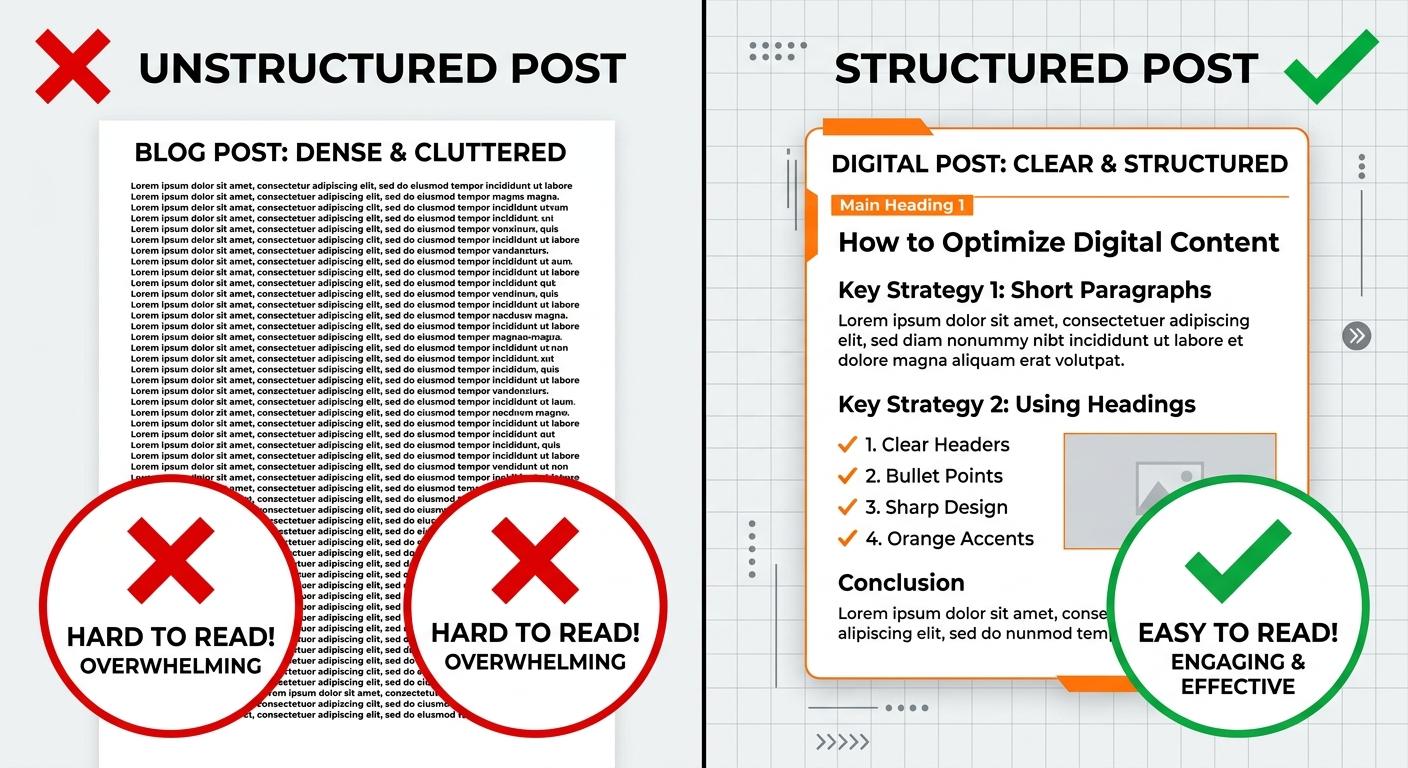
Why People Stop Reading Your Blog Post After 30 Seconds (and How to Fix It)
Most readers decide to stay or leave a blog post within the first 30 seconds. If your bounce rates are high, it's likely due to structural friction, poor hooks, or a lack of immediate value. Learn how to diagnose engagement killers and use AI-driven optimization to keep readers scrolling.
READ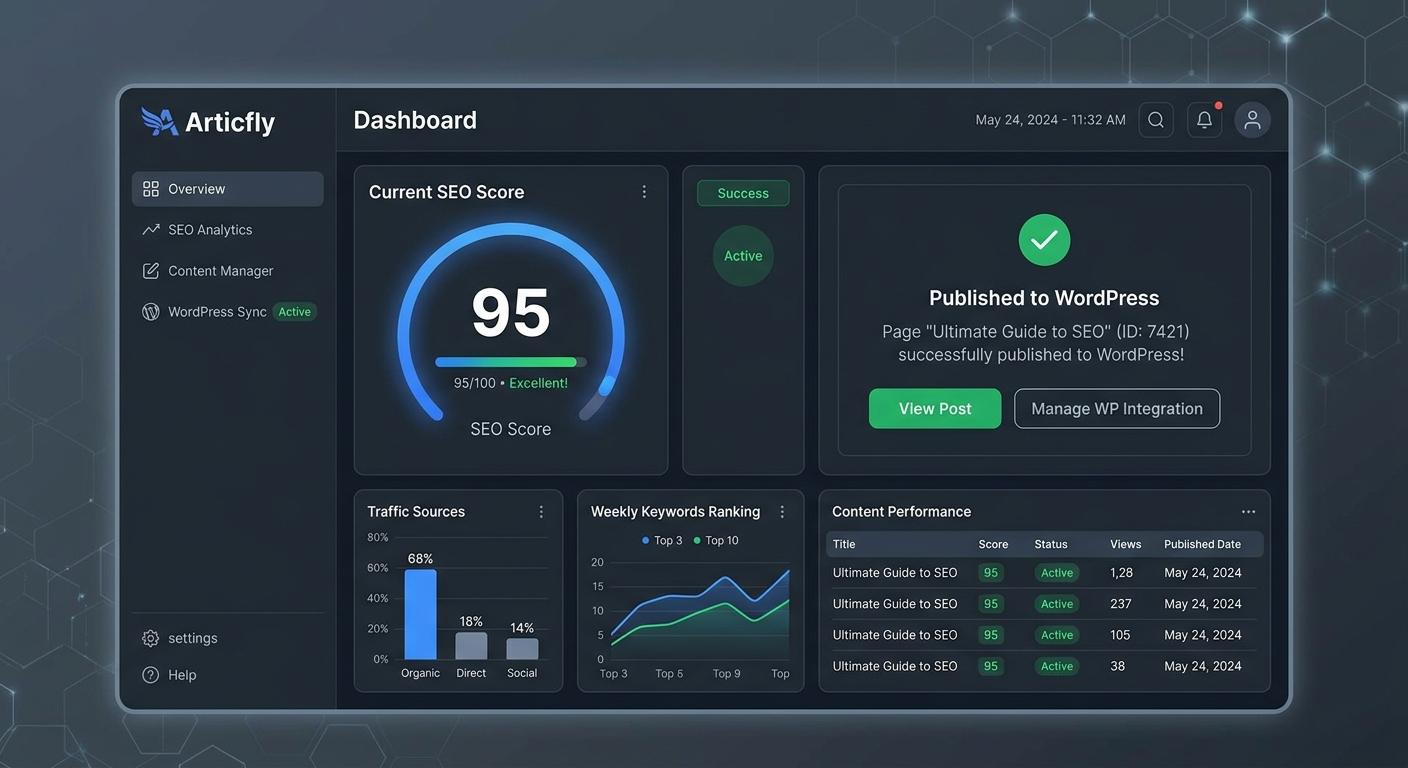
The $15 Blog Post That Brings in $2,000/Month: How AI Content Delivers 130x ROI
Discover the unit economics of high-scale AI publishing. Learn how to leverage Articfly to produce $15 blog posts that generate $2,000 in monthly recurring revenue through SEO optimization, automated publishing, and strategic content refreshing.
READ
Brand Voice in AI Content: How to Stop Your Blog from Sounding Like a Robot
Generic AI content is killing brand authority. Learn how to use Articfly’s Brand Voice Analyzer and Advanced Mode to produce high-scale, SEO-optimized content that sounds like your team, not a machine.
READ